 Submora
01PREPARATION CHECKLIST
Know the fields before you open the form.
Prepare the information below using the saved platform configuration. Required labels reflect that configuration; confirm the current form before submitting.
01
Tool Name *
Required- Input
- Short text
- Form step
- Step 1
- Requirements
- Enter tool name
02
Website URL *
Required- Input
- Website URL
- Form step
- Step 1
- Requirements
- https://example.com
03
One-sentence Introduction *
Required- Input
- Short text
- Form step
- Step 1
- Requirements
- Briefly introduce this tool in one sentence
04
Detailed Description *
Required- Input
- Long text
- Form step
- Step 1
- Requirements
- Please introduce this tool in detail: features, usage methods, etc
05
App Type
Optional- Input
- Choose one option
- Form step
- Step 1
- Requirements
- PC Application (Website)
- Options
- PC Application (Website) · Mobile Application (iOS/Android)
06
Main Category *
Required- Input
- Choose multiple options
- Form step
- Step 1
- Requirements
- Select Category
- Options
- General · Productivity · Video · Text · Business · Image · Automation · Art · Audio · Coding
07
Subcategory
Optional- Input
- Choose one option
- Form step
- Step 1
- Requirements
- None
- Options
- None
08
Use Case
Optional- Input
- Choose multiple options
- Form step
- Step 1
- Requirements
- None
- Options
- None · Learning · Utilities · Life · Work · Creation · Entertainment · Business · Development · Health · Social · Reading · DevOps · Music · Streaming · Games · Sales · CRM · E-commerce · Analytics · SEO&GEO · Marketing · AI Dev Tools · Database · Security · AI Fun · Fitness · Diet · Mental Health · Sleep · Medical · Social Network · Community · Messaging · File Tools · Converters · Downloader · Browser Tools · Shopping · Office Productivity · Project Management · Docs Collaboration · Spreadsheet Data · Automation · Remote Work · Time Tracking · Courses · Language · Coding · AI Learning · Knowledge Base · Note-taking · Debugging · Travel · Food · Family · Finance · Personal Management · Writing · Design · Video · Audio · Image AI · Publishing · Coding Tools · API&Backend
09
Pricing Type
Optional- Input
- Choose one option
- Form step
- Step 1
- Requirements
- Free
- Options
- Free · Freemium · Paid · Subscription
02PLATFORM REQUIREMENTS
Before you submit
- Account login
- A live HiProducty badge for the free path, or deliberately chosen $19 paid submission
- AI-tool fit and accurate product details
Free with a verified HiProducty badge; optional $19 paid submission skips the badge and advertises priority review/featured placement.
03PUBLISHING WORKFLOW
How to submit
- 01
Sign in with Google and open Submit Your AI Tool. Choose the free badge-verification or optional $19 paid path deliberately.
- 02
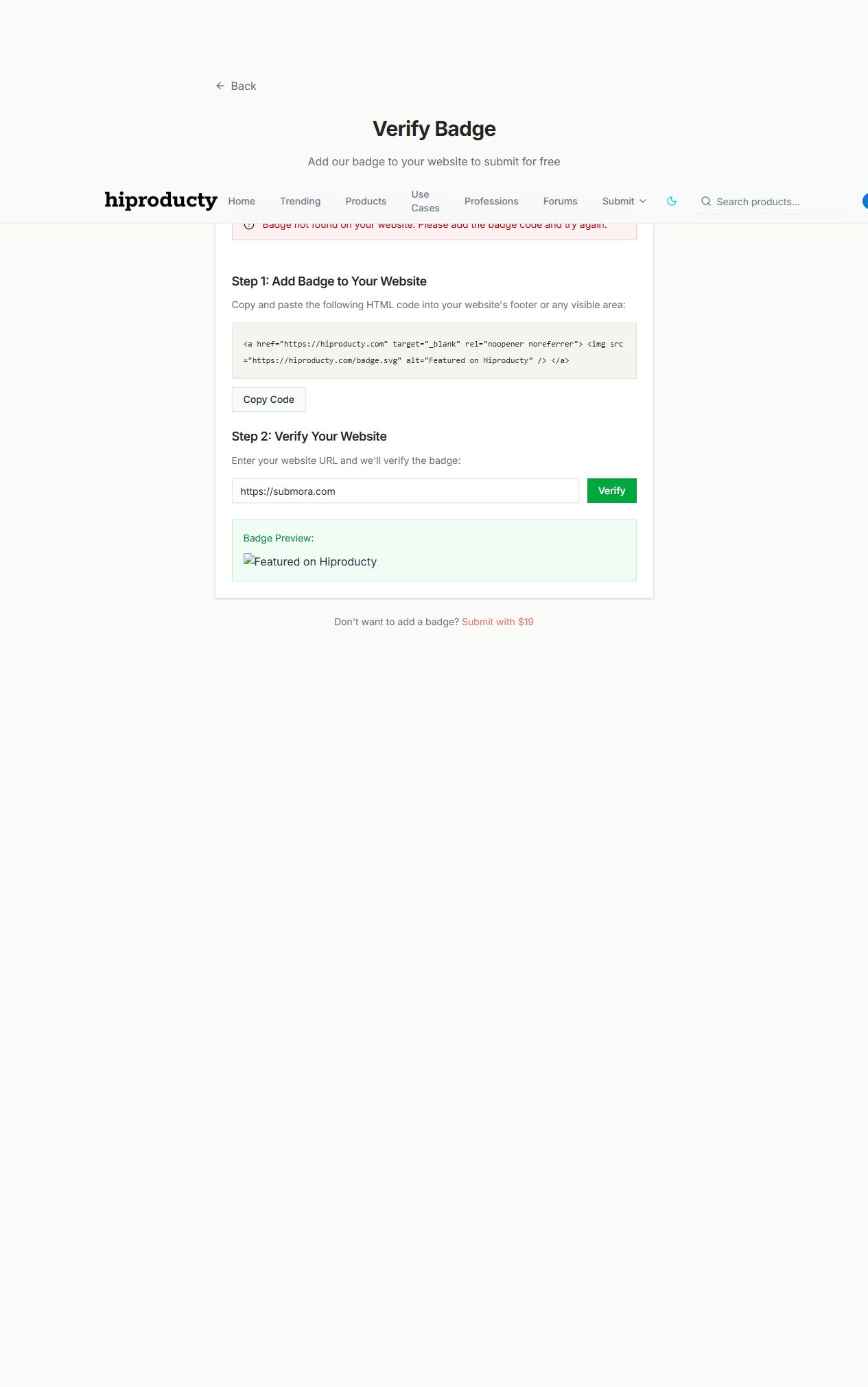
The free path requires a HiProducty badge on a visible public page. Enter the actual URL and Verify. Login is required; the inspected URL returned Badge not found.
- 03
Stop if the badge is absent. The product form behind verification was not reached; no badge was installed or paid checkout opened.
- 04
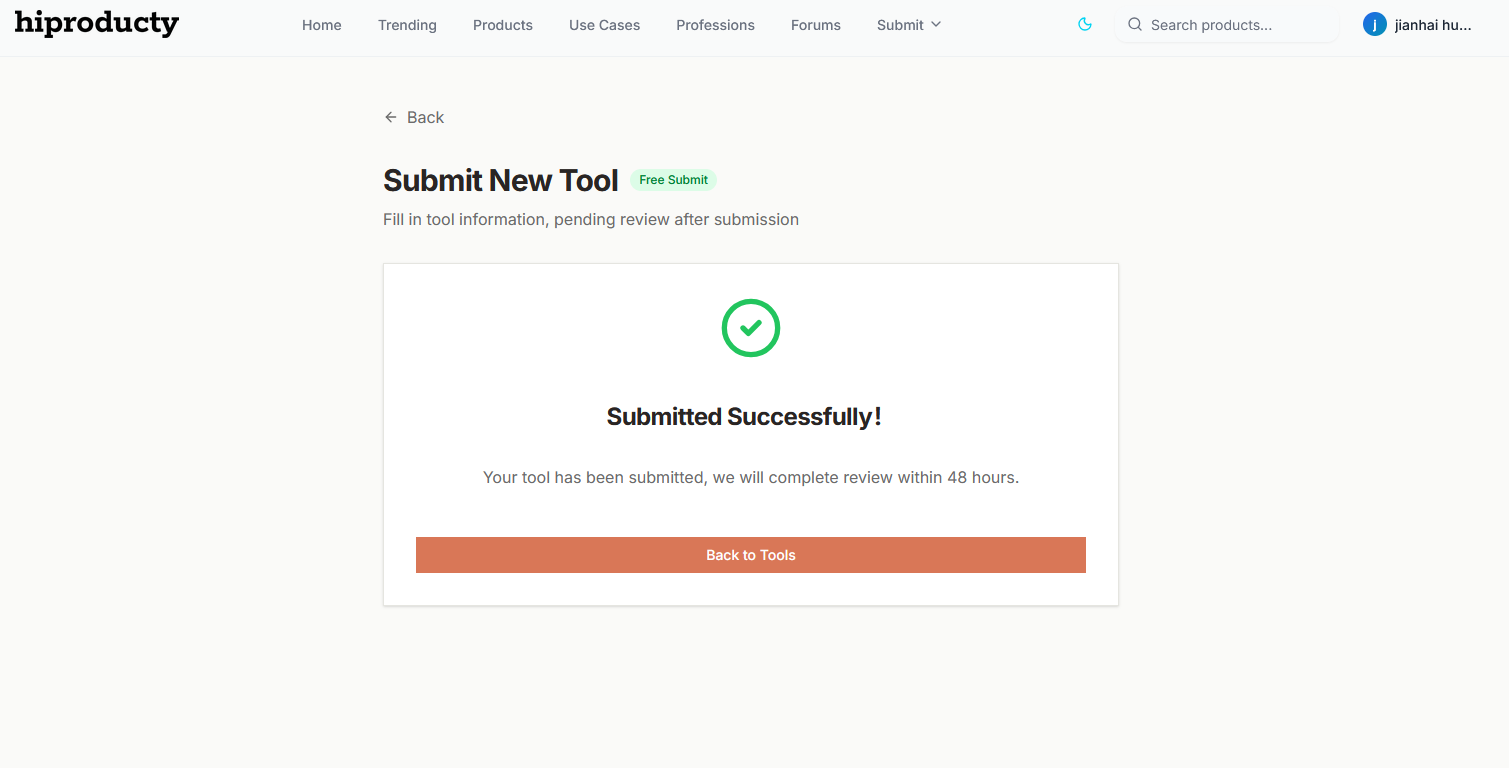
Once access is available, inspect the remaining product form and approval conditions. The page advertises 48-hour review/going live, but final publication was not tested.
04EXPECTED OUTPUT
What gets published
A product name, description, website link, and any product media accepted by the destination.
Not suitable for
- Products that are not live or cannot be accessed publicly
- Products that clearly fall outside the destination eligibility criteria
The destination controls pricing, moderation and publication. DR is a recorded metric, not a guarantee of traffic or acceptance.
PREPARE. PUBLISH. FOLLOW UP.
Keep the work connected.
Use your website materials to prepare platform-specific content, record your submission and follow the published result.