 Submora
01 / PREPARATION CHECKLIST
Know the fields before you open the form.
Prepare the information below using the saved platform configuration. Required labels reflect that configuration; confirm the current form before submitting.
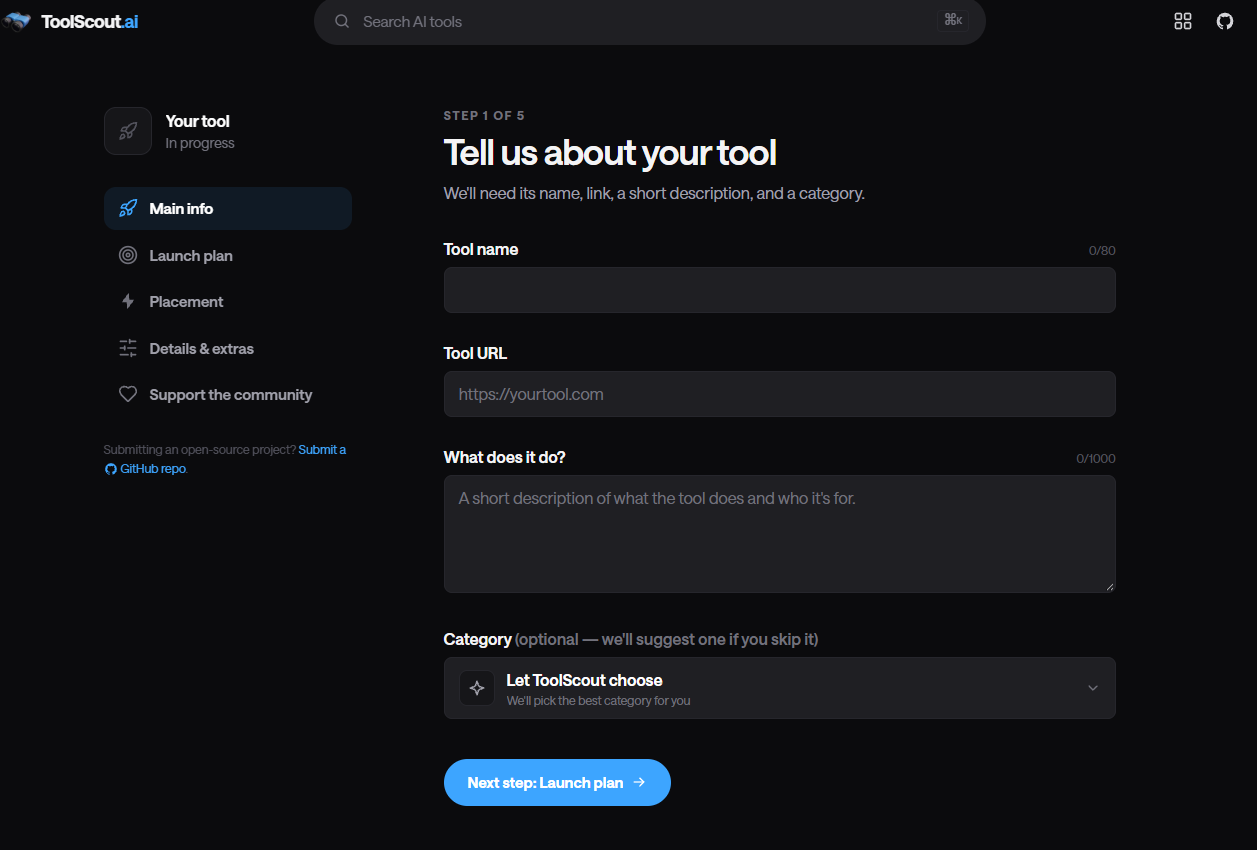
Tool name
Optional- Input
- Short text
Tool URL
Optional- Input
- Website URL
- Guidance
- https://yourtool.com
What does it do?
Optional- Input
- Long text
- Guidance
- A short description of what the tool does and who it's for.
Anything you'd like us to know (launch dates, press kit, etc.) — optional
Optional- Input
- Long text
- Guidance
- Anything you'd like us to know (launch dates, press kit, etc.) — optional
02 / PLATFORM REQUIREMENTS
Before you submit
- ToolScout account
- Live publicly accessible AI product
- Product name and URL
- Clear description and category tags
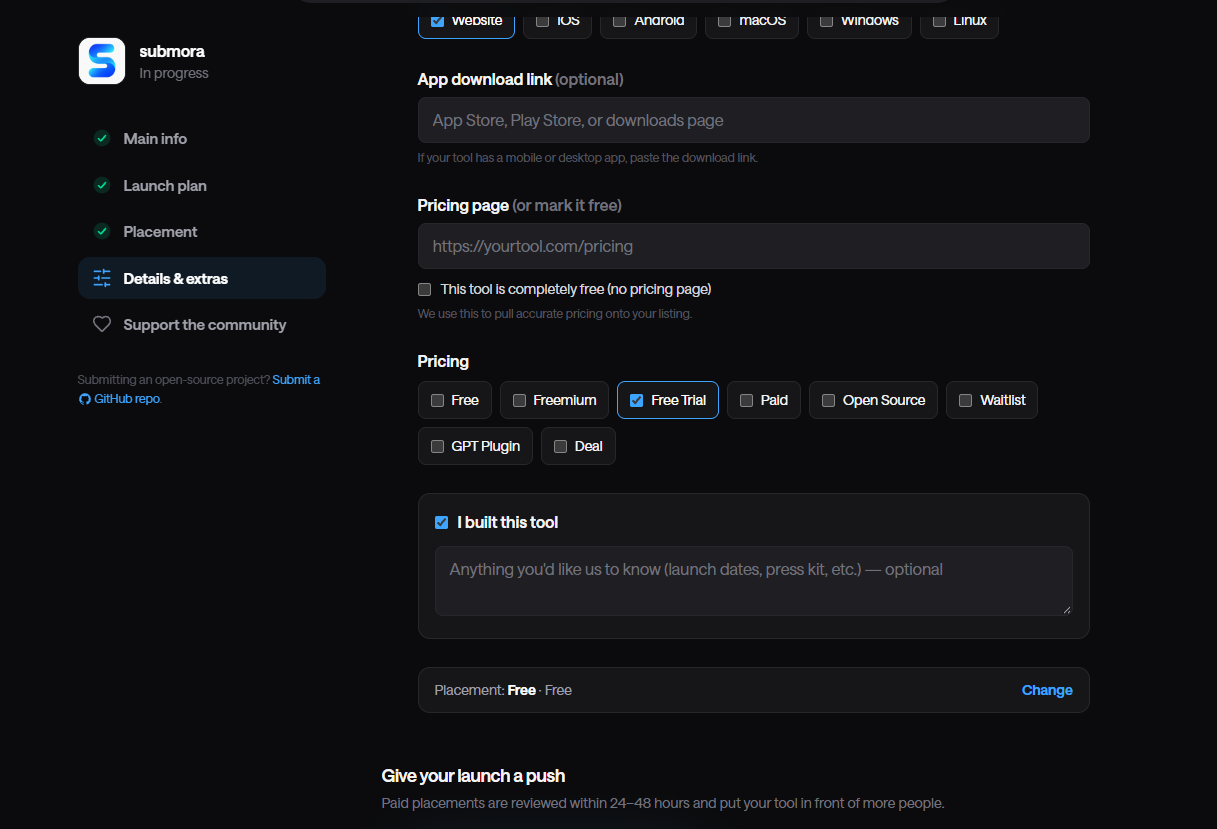
- Pricing information
- Product screenshot
- Optional GitHub repository for open-source tools
Standard listing is free; optional Boost and Featured placements are paid.
03 / PUBLISHING WORKFLOW
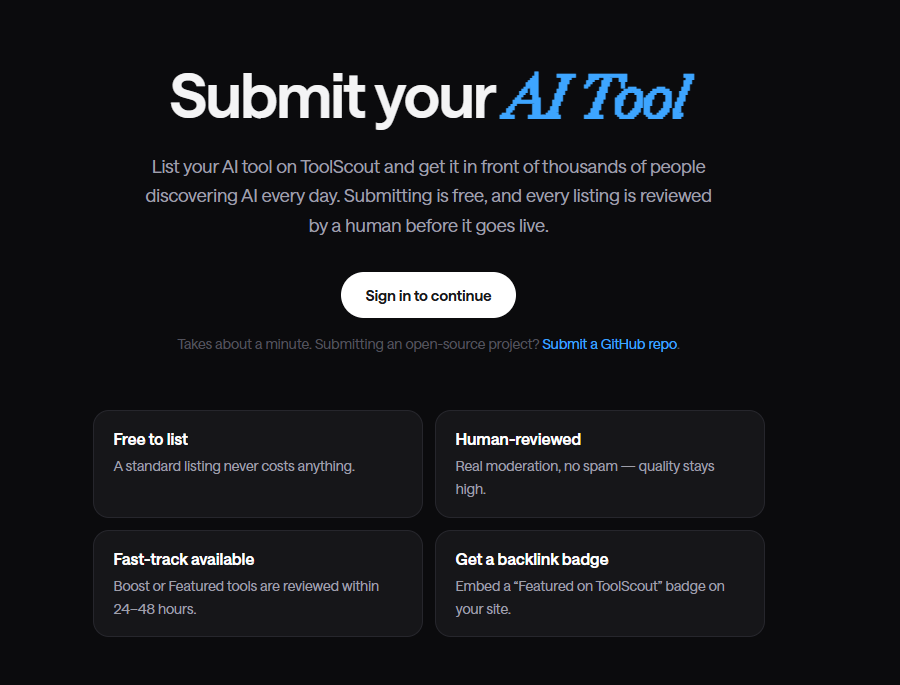
How to submit
- 01
Sign in and open Submit
- 02
Choose product or open-source repository submission
- 03
Enter accurate product details
- 04
Add pricing, categories and screenshot
- 05
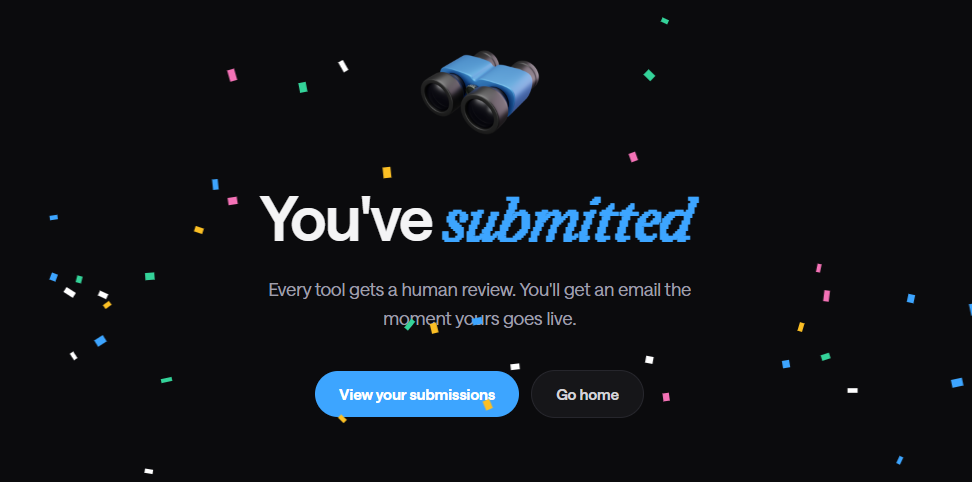
Submit for human review
- 06
Watch email or submission status
- 07
Record the listing URL if accepted
04 / EXPECTED OUTPUT
What gets published
If approved, a dedicated AI-tool page with description, categories, pricing, screenshot and website link.
Not suitable for
- Local businesses
- Lifestyle
The destination controls pricing, moderation and publication. DR is a recorded metric, not a guarantee of traffic or acceptance.
PREPARE. PUBLISH. FOLLOW UP.
Keep the work connected.
Use your website materials to prepare platform-specific content, record your submission and follow the published result.