 Submora
01 / PREPARATION CHECKLIST
Know the fields before you open the form.
Prepare the information below using the saved platform configuration. Required labels reflect that configuration; confirm the current form before submitting.
Project Name *
Required- Input
- Short text
- Form step
- Step 1
- Guidance
- My Awesome Project
Slug *
Required- Input
- Short text
- Form step
- Step 1
- Guidance
- my-awesome-project
Tagline or Slogan *
Required- Input
- Short text
- Form step
- Step 1
- Guidance
- Write one concise English tagline for {product_name} using only verified product information. Express the product's primary value for its intended user in 4–10 words. Keep it within the destination field's character limit; if no limit is provided, use no more than 60 characters. Make it specific and natural rather than a generic slogan. Do not use quotation marks, emojis, hashtags, a call to action, ending punctuation, unsupported claims, or superlatives such as best, ultimate, leading, revolutionary, or #1. Output only the tagline on one line.
Website URL *
Required- Input
- Website URL
- Form step
- Step 1
Short Description *
Required- Input
- Long text
- Form step
- Step 1
- Guidance
- Write a concise plain-text description of {product_name} for a directory's Short Description field. In 2–4 short sentences, state what the product is, who it is for, the main problem it solves, and its most important verified capability or practical benefit. Keep the complete response within the destination field's character limit; if no limit is provided, use 40–80 English words. Use one compact paragraph. Do not use Markdown, HTML, headings, bullet points, emojis, slogans, calls to action, unsupported claims, or exaggerated superlatives. Do not repeat the product name or the same benefit unnecessarily. Output only the finished description.
Logo (Max 1MB) *
Required- Input
- Image upload
- Form step
- Step 1
- Image requirements
- Confirm file requirements on the submission form.
Product Image (Optional)
Optional- Input
- Image upload
- Form step
- Step 1
- Image requirements
- Up to 1.0 MB
Tech Stack *(0/5 technologies)
Required- Input
- Short text
- Form step
- Step 2
- Guidance
- Type a technology, then press Enter or Space
GitHub URL (Optional)
Optional- Input
- Website URL
- Form step
- Step 2
- Guidance
- https://github.com/user/repo
Twitter URL (Optional)
Optional- Input
- Website URL
- Form step
- Step 2
- Guidance
- https://twitter.com/username
Categories *
Required- Input
- Choose multiple options
- Form step
- Step 2
- Guidance
- Select up to 3 relevant categories.
- Options
- APIs & Integrations · AR/VR · Artificial Intelligence · Blockchain & Crypto · Business Analytics · CMS & No-Code · Data Science & Analytics · Databases · Design Tools · DevOps & Cloud · Developer Tools · Directory · E-commerce · Education Tech · Finance & FinTech · Gaming Tech · Graphics & Illustration · Green Tech · Hardware · Health Tech · Internet of Things (IoT) · Launch Platform · Machine Learning · Marketing Tools · Mobile Development · Natural Language Processing · Open Source · Platforms · Productivity · Prototyping · Robotics · SaaS · Sales Tools · Security · Serverless · Testing & QA · UI/UX · Wearables · Web Development
Platforms *
Required- Input
- Choose multiple options
- Form step
- Step 2
- Guidance
- Select all platforms your project supports.
- Options
- web · mobile · desktop · api · other
Pricing Model *
Required- Input
- Choose one option
- Form step
- Step 2
- Options
- free · freemium · paid
02 / PLATFORM REQUIREMENTS
Before you submit
- A publicly accessible product website
- Product name, concise description, and clear screenshots
- A product that matches the destination eligibility criteria
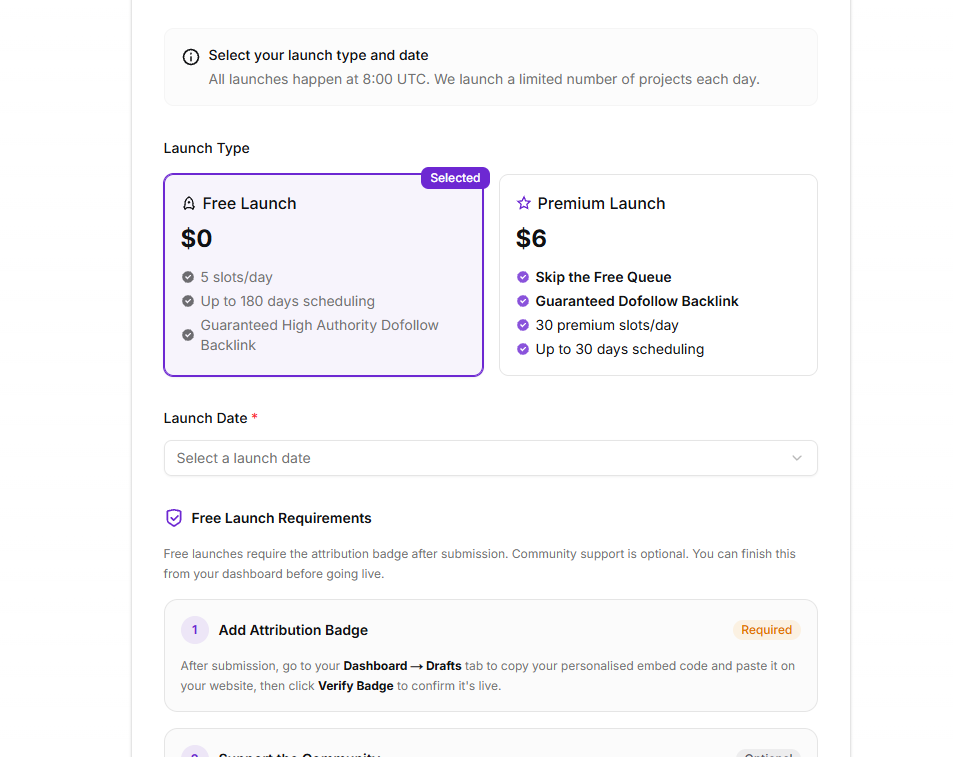
A free submission path is available; Premium Launch $6
03 / PUBLISHING WORKFLOW
How to submit
- 01
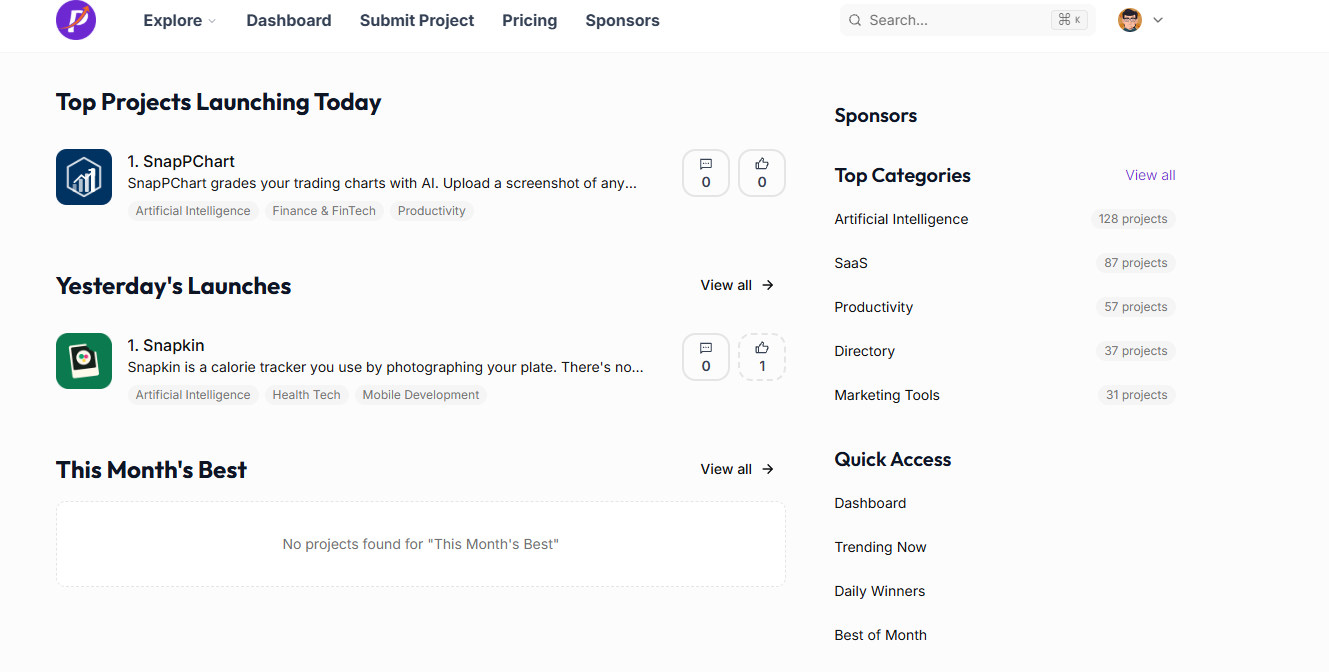
Open the submission page and sign in or create an account if required
- 02
Complete the product and website fields requested by the destination
- 03
Review the URL, category, copy, and media before submitting
- 04
Record the submission date and follow up based on the expected review time
04 / EXPECTED OUTPUT
What gets published
A product name, description, website link, and any product media accepted by the destination.
Not suitable for
- Products that are not live or cannot be accessed publicly
- Products that clearly fall outside the destination eligibility criteria
The destination controls pricing, moderation and publication. DR is a recorded metric, not a guarantee of traffic or acceptance.
PREPARE. PUBLISH. FOLLOW UP.
Keep the work connected.
Use your website materials to prepare platform-specific content, record your submission and follow the published result.