 Submora
Know the fields before you open the form.
Prepare the information below using the saved platform configuration. Required labels reflect that configuration; confirm the current form before submitting.
Before you submit
- A working Google Analytics 4 property; Universal Analytics is not supported
- Connecting Google Analytics read access is required before the startup form can be inspected
- Authorization for ordinary Google sign-in does not authorize a new analytics-data connection
Public listing/verification advertises Free forever. Separate sponsorship advertises $59 one-off for sixty days, rising to $99 after the introductory spot; it was not opened or purchased. No payment or account-specific fee verified.
How to submit
- 01
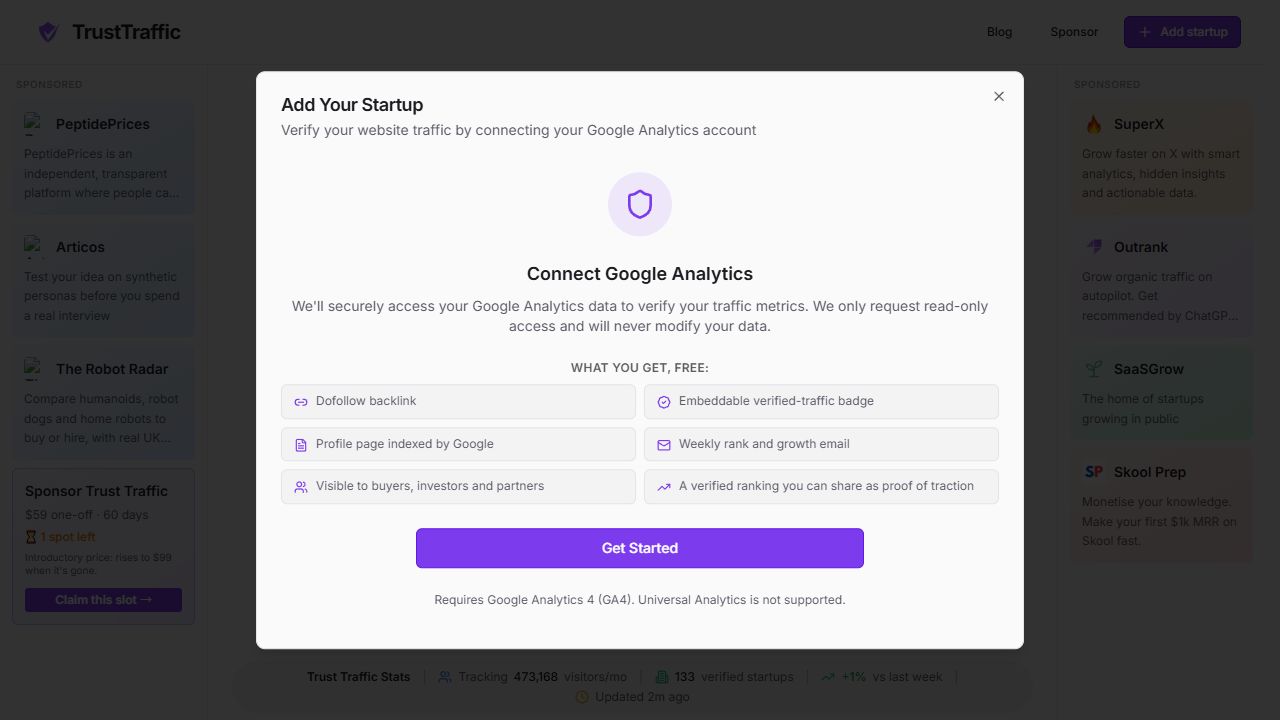
Open Add startup on the official homepage. The Add Your Startup dialog explains that traffic verification requires connecting Google Analytics.
- 02
Review the connection requirement: the site requests read-only Analytics access and advertises a free dofollow link, verified-traffic badge, indexed profile and weekly growth email. GA4 is required.
- 03
Stop before Get Started because this flow connects private analytics data, rather than ordinary Google identity login. No analytics permissions, property selection or metrics access were granted.
- 04
Revisit after the account owner explicitly authorizes the Analytics connection. The actual startup fields, property selection, visibility controls, final verification and publication stages remain unseen.
What gets published
A verified startup profile and traffic metrics derived from a connected GA4 property, with weekly ranking and an optional embeddable badge.
Not suitable for
- Products that are not live or cannot be accessed publicly
- Products that clearly fall outside the destination eligibility criteria
The destination controls pricing, moderation and publication. DR is a recorded metric, not a guarantee of traffic or acceptance.
PREPARE. PUBLISH. FOLLOW UP.
Keep the work connected.
Use your website materials to prepare platform-specific content, record your submission and follow the published result.