 Submora
01PREPARATION CHECKLIST
Know the fields before you open the form.
Prepare the information below using the saved platform configuration. Required labels reflect that configuration; confirm the current form before submitting.
01
Your name
Required- Input
- Short text
- Form step
- Submission
02
Business Email
Required- Input
- Email address
- Form step
- Submission
03
Tool Name
Required- Input
- Short text
- Form step
- Submission
04
Tool URL
Required- Input
- Website URL
- Form step
- Submission
05
Pricing Model
Required- Input
- Choose one option
- Form step
- Submission
- Options
- Free · Freemium · Paid
06
Tool Tags
Required- Input
- Short text
- Form step
- Submission
07
Tool Description
Required- Input
- Long text
- Form step
- Submission
08
Message
Optional- Input
- Long text
- Form step
- Submission
02PLATFORM REQUIREMENTS
Before you submit
- Actual submitter name and confirmed business email
- Tool name, public URL, actual pricing model, tags and description
No fee is requested in the submission form. Advertise is a separate advertising entry.
03PUBLISHING WORKFLOW
How to submit
- 01
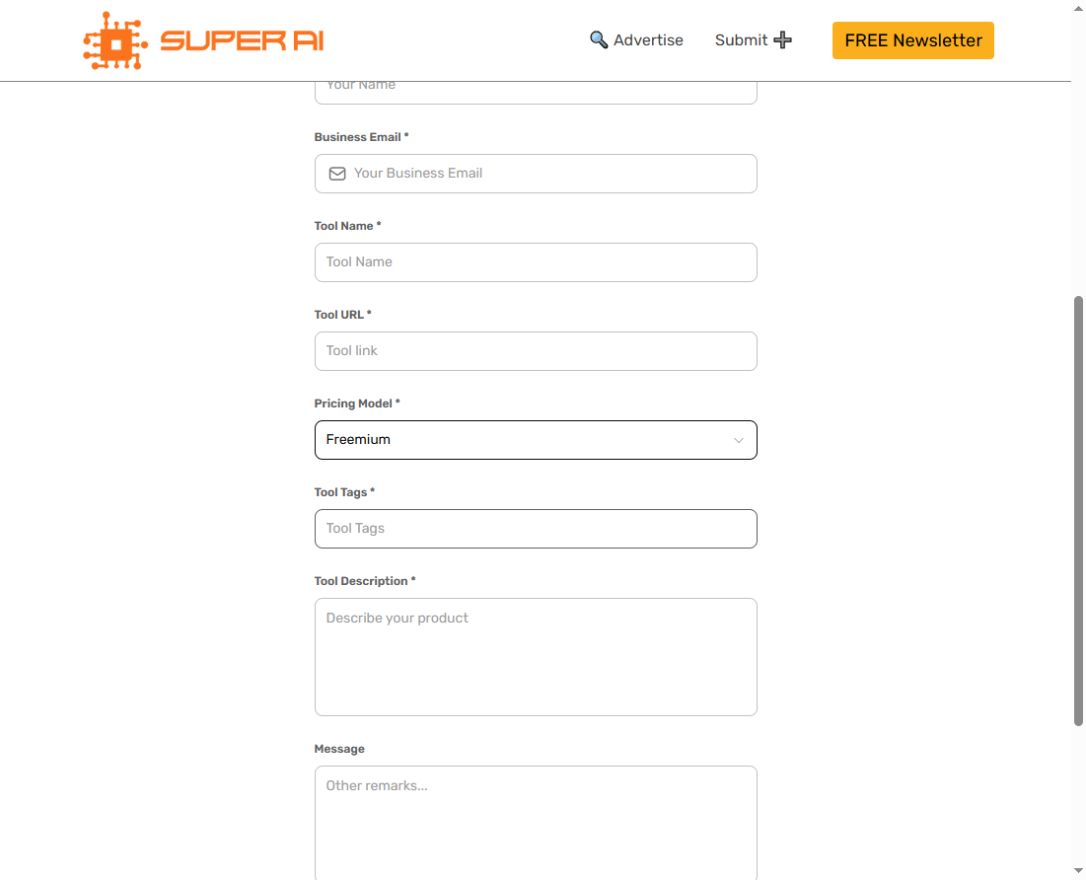
Open the website and click Submit ➕, which opens a new submission tab. If the direct entry is blank, allow it to load or reopen it from the homepage.
- 02
Enter the actual submitter name, business email, tool name and tool URL. Do not use a product name for the submitter.
- 03
Choose the product pricing model (Free/Freemium/Paid), then enter factual tool tags and description. Message is optional.
- 04
Review before Submit, save the receipt and await the platform’s fit assessment. No review deadline or publication guarantee is given; record the actual public result.
04EXPECTED OUTPUT
What gets published
An eligible AI tool directory entry; exact public fields and final publication were not tested.
Not suitable for
- Products that are not live or cannot be accessed publicly
- Products that clearly fall outside the destination eligibility criteria
The destination controls pricing, moderation and publication. DR is a recorded metric, not a guarantee of traffic or acceptance.
PREPARE. PUBLISH. FOLLOW UP.
Keep the work connected.
Use your website materials to prepare platform-specific content, record your submission and follow the published result.