 Submora
01PREPARATION CHECKLIST
Know the fields before you open the form.
Prepare the information below using the saved platform configuration. Required labels reflect that configuration; confirm the current form before submitting.
01
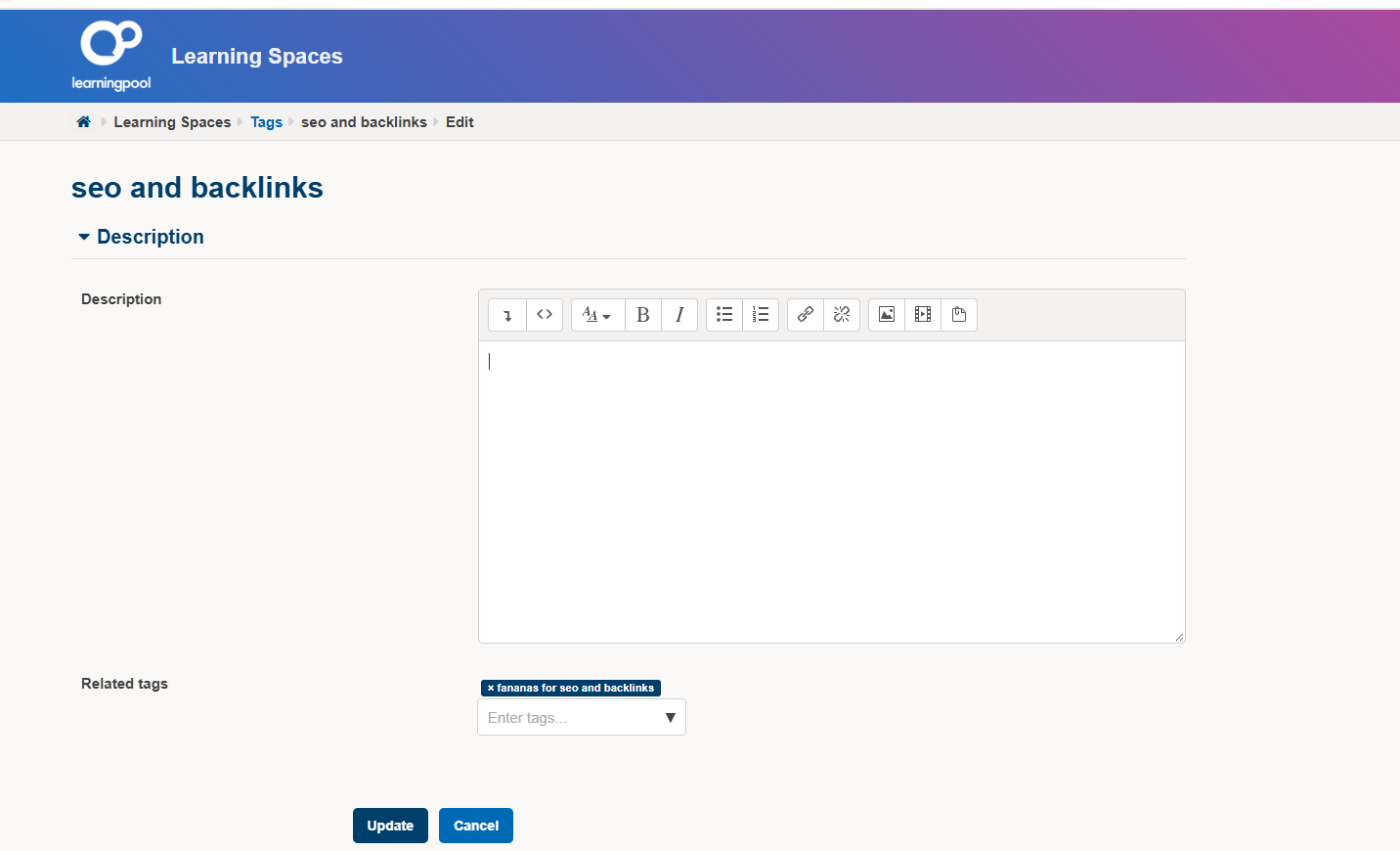
Related tags
Optional- Input
- Short text
02
id_description_editoreditable
Optional- Input
- Long text
02PLATFORM REQUIREMENTS
Before you submit
- An eligible account created through https://learningspacesbasic.lmscheckout.com/User/createAccount
- The tag editing action must be available to your account
- Authorization to maintain or improve the selected tag page
- Content that is directly relevant to the tag name and existing learning context
- A trustworthy source URL that genuinely helps learners understand the topic
- A description written in natural English for educational value rather than promotion
Free; account creation does not guarantee permission to edit tags.
03PUBLISHING WORKFLOW
How to submit
- 01
Create an account using the official registration route or sign in with an eligible account.
- 02
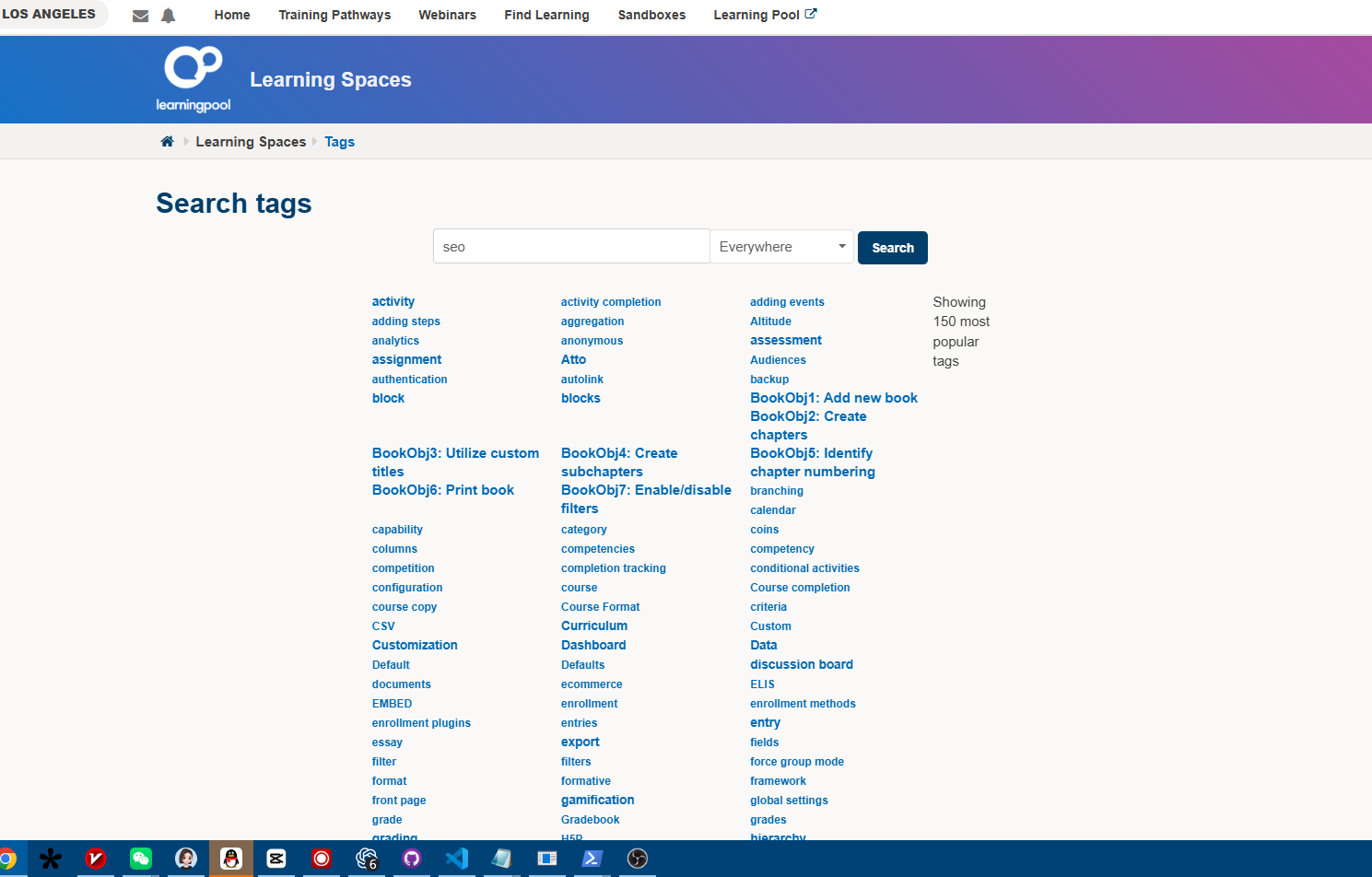
Open the intended tag page and confirm that a tag editing action is available to your account.
- 03
If the edit action is unavailable, stop and do not attempt to bypass the permission requirement.
- 04
Review the tag name, current description, related tags, and learning context before editing.
- 05
Add or improve the description with accurate, directly relevant educational content in natural English.
- 06
Include an official source link only where it supports the description; avoid promotional anchor text.
- 07
Save the change, review the public tag page, and confirm that the link and surrounding content are accurate.
- 08
Copy the public tag-page URL and save it in Submora.
04EXPECTED OUTPUT
What gets published
An authorized edit to a public learning-platform project-tag description with a directly relevant educational resource link.
Not suitable for
- Gaming & entertainment
- Local businesses
- E-commerce
- Design & creative
- News & media
- Lifestyle
The destination controls pricing, moderation and publication. DR is a recorded metric, not a guarantee of traffic or acceptance.
PREPARE. PUBLISH. FOLLOW UP.
Keep the work connected.
Use your website materials to prepare platform-specific content, record your submission and follow the published result.