 Submora
01PREPARATION CHECKLIST
Know the fields before you open the form.
Prepare the information below using the saved platform configuration. Required labels reflect that configuration; confirm the current form before submitting.
A field-by-field checklist has not yet been recorded for this platform. Use the official form to confirm its current fields; the requirements below are the available preparation guidance.
02PLATFORM REQUIREMENTS
Before you submit
- Email authentication is required before the publishing form can be inspected
Unknown; payment and product submission stages were not reached.
03PUBLISHING WORKFLOW
How to submit
- 01
Open Submit and follow the redirect to Log in. Only email authentication was offered; no Google button was shown.
- 02
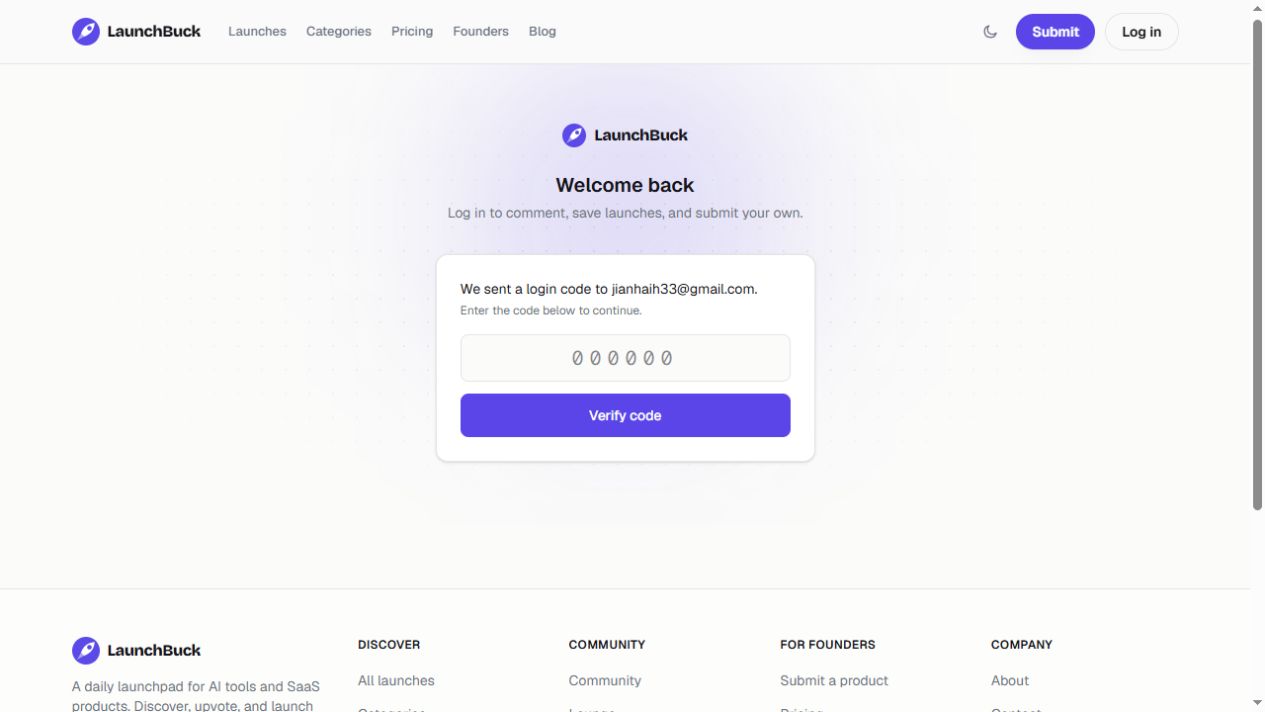
Enter an authorized email and use Continue with email. The next screen requests a login code; the email states it expires in 15 minutes.
- 03
Complete authentication before inspecting publishing fields. The connected email tool withheld the one-time code, so authentication and every publishing stage remain unverified. Do not infer required fields or a publication deadline.
04EXPECTED OUTPUT
What gets published
A product name, description, website link, and any product media accepted by the destination.
Not suitable for
- Products that are not live or cannot be accessed publicly
- Products that clearly fall outside the destination eligibility criteria
The destination controls pricing, moderation and publication. DR is a recorded metric, not a guarantee of traffic or acceptance.
PREPARE. PUBLISH. FOLLOW UP.
Keep the work connected.
Use your website materials to prepare platform-specific content, record your submission and follow the published result.