 Submora
Know the fields before you open the form.
Prepare the information below using the saved platform configuration. Required labels reflect that configuration; confirm the current form before submitting.
Website URL
Required- Input
- Website URL
- Form step
- Website
- Requirements
- Use the real product homepage, not a login or submission URL.
Website URL to Check
Required- Input
- Website URL
- Form step
- Badge
- Requirements
- Public page containing the required dofollow badge. Use the homepage when the badge is in the footer.
Before you submit
- Google account login
- Real product homepage URL
- Verified homepage or footer badge with a dofollow link to the exact generated listing URL
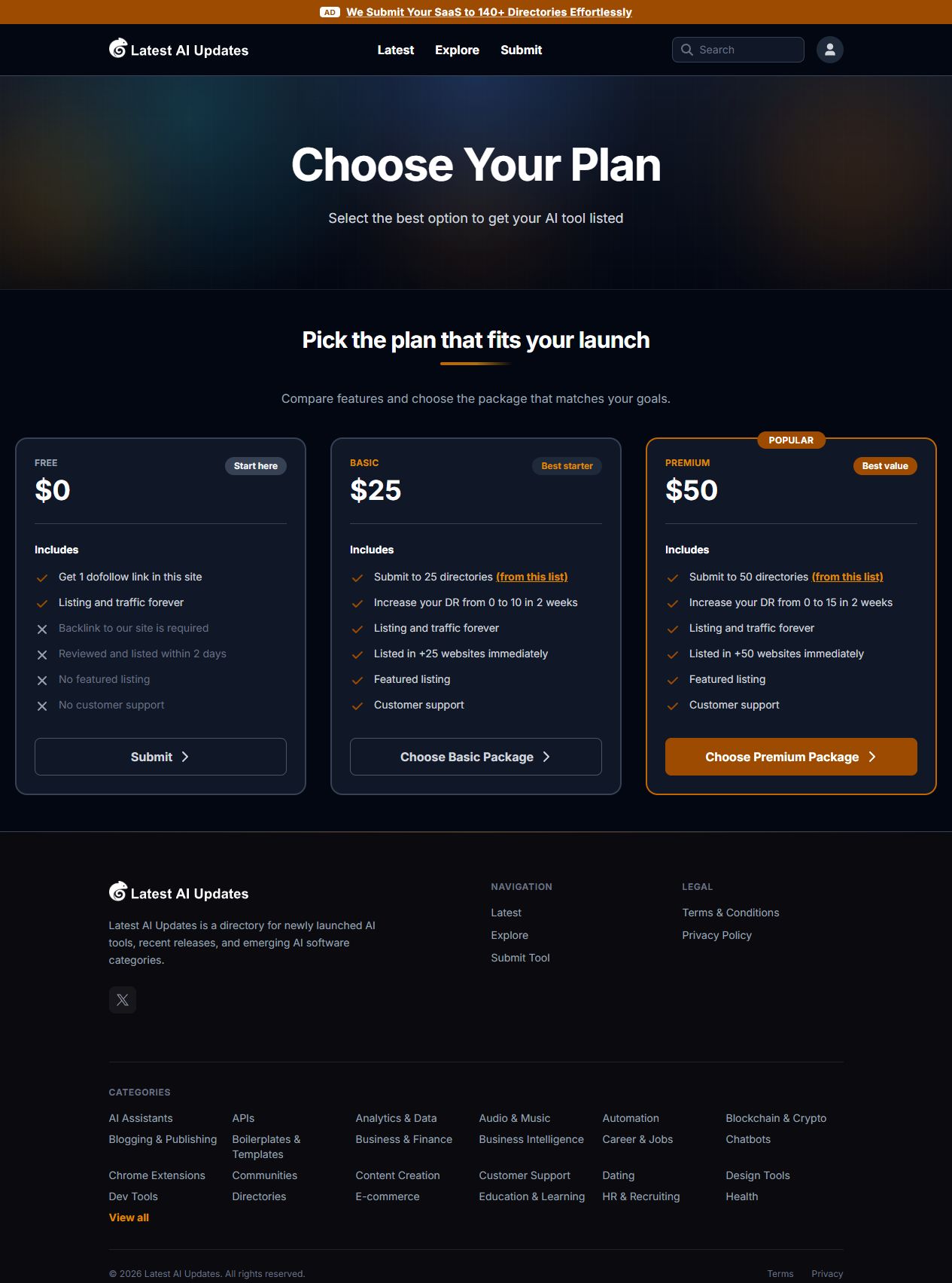
Free $0 with a required reciprocal backlink. Optional Basic $25 for twenty-five external-directory submissions and Premium $50 for fifty; observed links lead to Dodo Payments then a SubmitMatic quick form. Paid checkout, taxes, delivery and any gate bypass were not tested.
How to submit
- 01
Open the site navigation Submit link to Get Started. Inspect Free $0 with required backlink and advertised two-day review. Optional Basic $25 and Premium $50 are external directory-submission packages.
- 02
For the free path, choose its Submit link and sign in with Google. Enter the real product homepage and choose Generate Badge.
- 03
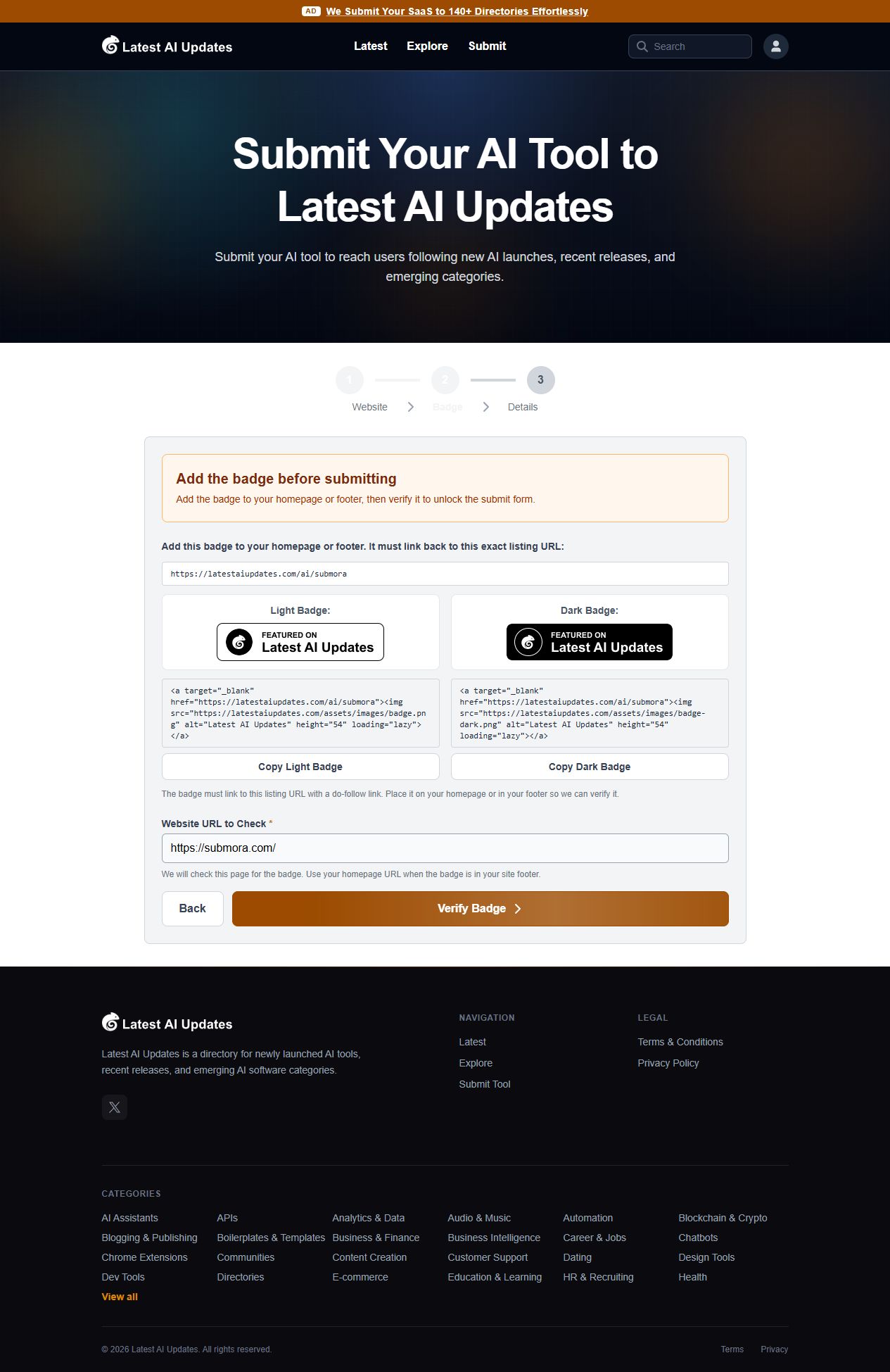
Review the generated badge. The homepage or footer must contain a dofollow link to the exact listing URL displayed by this site. Light and dark badge HTML are offered.
- 04
Use Website URL to Check and Verify Badge only after the badge is genuinely present. During verification the existing Submora homepage did not unlock Details; no website deployment was performed.
- 05
After the gate is satisfied, inspect Details and any review or payment stage before final submission. Those publishing fields and final publication were not reached.
What gets published
A product name, description, website link, and any product media accepted by the destination.
Not suitable for
- Products that are not live or cannot be accessed publicly
- Products that clearly fall outside the destination eligibility criteria
The destination controls pricing, moderation and publication. DR is a recorded metric, not a guarantee of traffic or acceptance.
PREPARE. PUBLISH. FOLLOW UP.
Keep the work connected.
Use your website materials to prepare platform-specific content, record your submission and follow the published result.