 Submora
01PREPARATION CHECKLIST
Know the fields before you open the form.
Prepare the information below using the saved platform configuration. Required labels reflect that configuration; confirm the current form before submitting.
01
Product Name
Required- Input
- Short text
- Form step
- Basic Info
02
Short Description
Required- Input
- Long text
- Form step
- Basic Info
03
Image URL
Optional- Input
- Website URL
- Form step
- Basic Info
04
Website Link
Optional- Input
- Website URL
- Form step
- Basic Info
05
Tags
Optional- Input
- Short text
- Form step
- Metadata & Visibility
06
Tech Stack
Optional- Input
- Short text
- Form step
- Metadata & Visibility
07
Status
Optional- Input
- Choose one option
- Form step
- Metadata & Visibility
- Options
- Active · Inactive · Coming Soon
08
Category
Optional- Input
- Choose one option
- Form step
- Metadata & Visibility
- Options
- Product · Business · Marketing · Personal Life · Development · AI · Design
09
Pricing Model
Optional- Input
- Choose one option
- Form step
- Pricing & Launch
- Options
- Free · Paid · Freemium
02PLATFORM REQUIREMENTS
Before you submit
- Google account login
- Required product name and short description
- Prepare optional image URL, website link, tags, actual technology stack, status, category and pricing model
The login page advertises free access and the complete publishing wizard shows no submission charge. Advertising is a separate offer; no purchase was made.
03PUBLISHING WORKFLOW
How to submit
- 01
Sign in with Google. The old /products/submit URL displays Product Not Found; use dashboard Products, then Add New Product.
- 02
Enter the required product name and short description. Add actual public image and website URLs when available; they are not marked mandatory.
- 03
In Metadata & Visibility, enter relevant tags and actual technology stack. Choose the correct status and one of the seven category options.
- 04
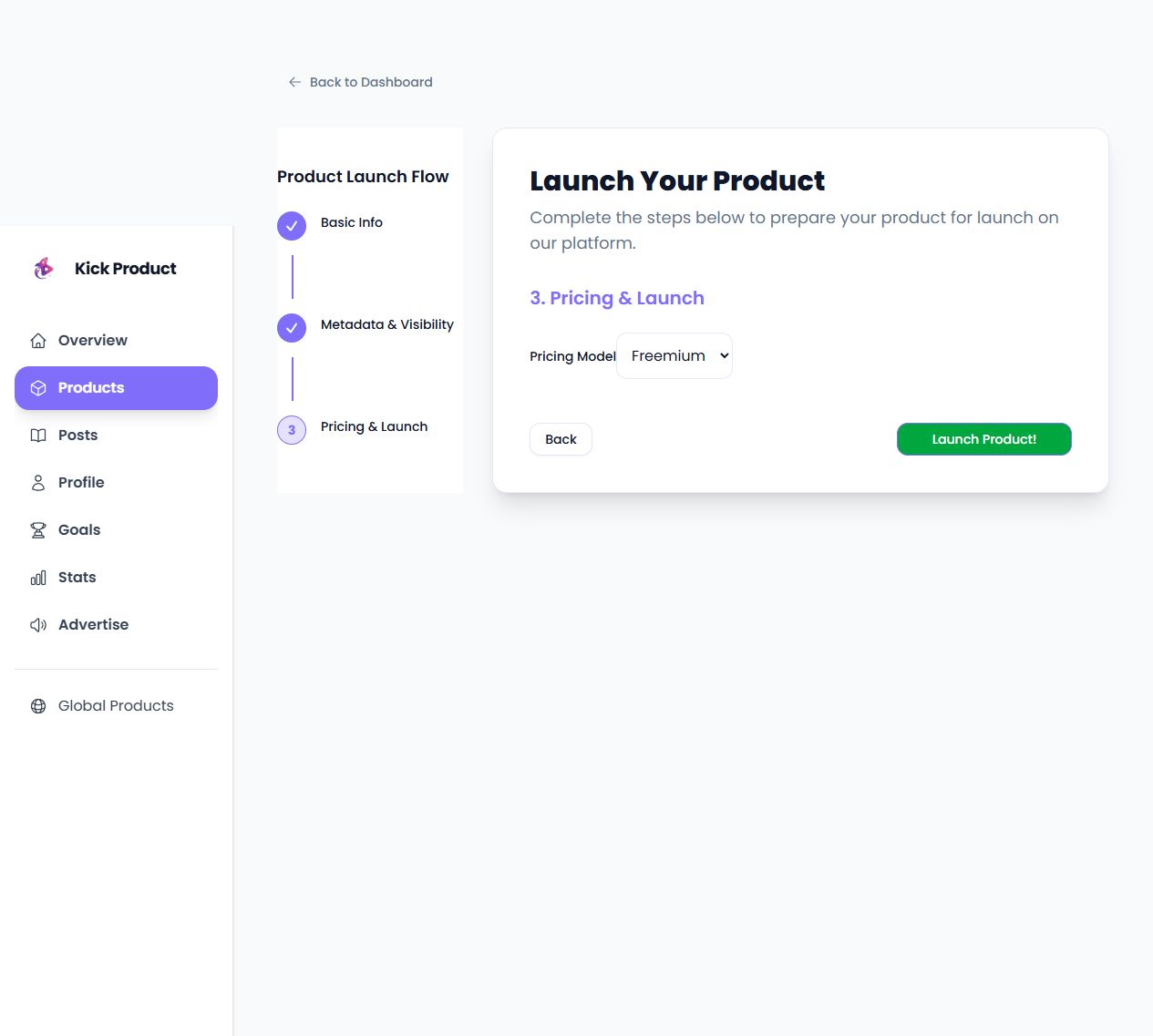
Choose Free, Paid or Freemium in Pricing & Launch. Review before Launch Product!; the final publication action was not clicked. Record the actual resulting public link after submission.
04EXPECTED OUTPUT
What gets published
A product name, description, website link, and any product media accepted by the destination.
Not suitable for
- Products that are not live or cannot be accessed publicly
- Products that clearly fall outside the destination eligibility criteria
The destination controls pricing, moderation and publication. DR is a recorded metric, not a guarantee of traffic or acceptance.
PREPARE. PUBLISH. FOLLOW UP.
Keep the work connected.
Use your website materials to prepare platform-specific content, record your submission and follow the published result.