 Submora
01PREPARATION CHECKLIST
Know the fields before you open the form.
Prepare the information below using the saved platform configuration. Required labels reflect that configuration; confirm the current form before submitting.
01
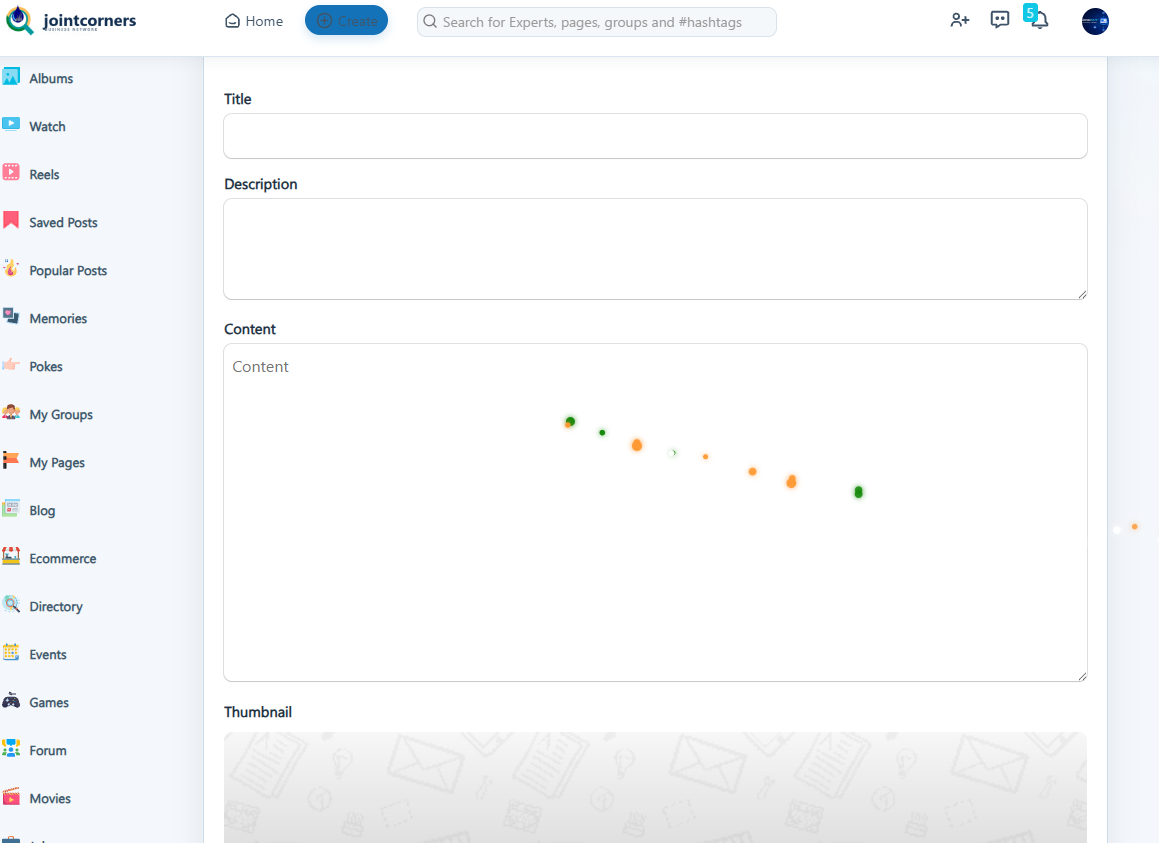
Title
Optional- Input
- Short text
02
Description
Optional- Input
- Long text
03
Content
Optional- Input
- Long text
04
Category
Optional- Input
- Choose one option
- Options
- Category · Cars and Vehicles · Comedy · Economics and Trade · Education · Entertainment · Movies & Animation · Gaming · History and Facts · Live Style · Natural · News and Politics · Experts and Nations · Pets and Animals · Places and Regions · Science and Technology · Sport · Travel and Events · Other
05
Tags
Optional- Input
- Short text
06
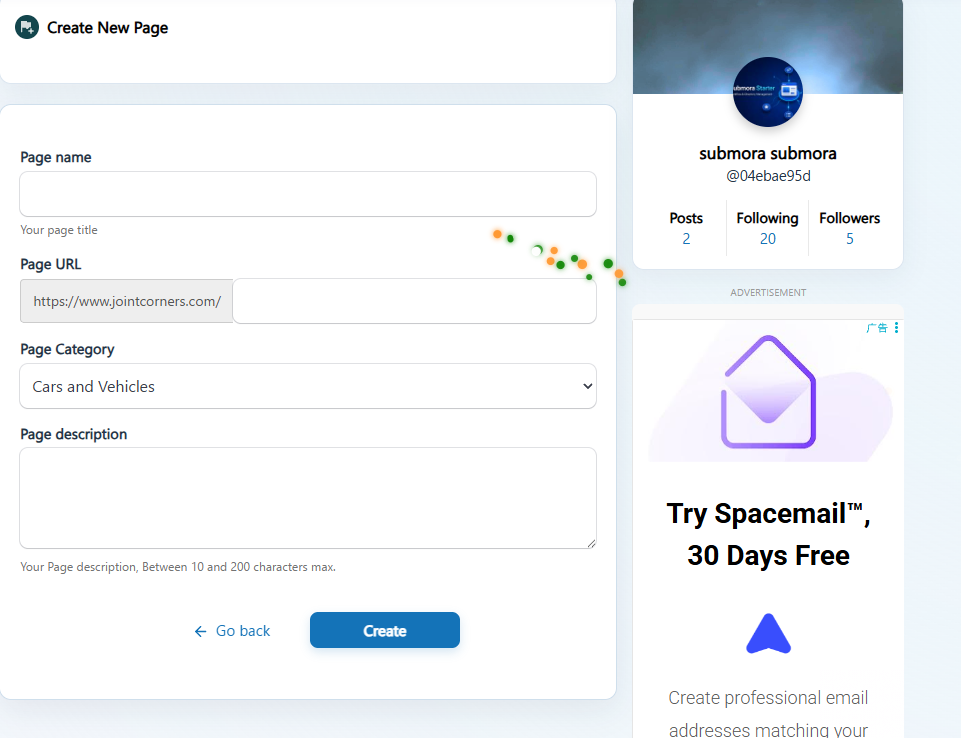
Page name
Optional- Input
- Short text
07
Page URL
Optional- Input
- Short text
08
Page Category
Optional- Input
- Choose one option
- Options
- Cars and Vehicles · Comedy · Economics and Trade · Education · Entertainment · Movies & Animation · Gaming · History and Facts · Live Style · Natural · News and Politics · Experts and Nations · Pets and Animals · Places and Regions · Science and Technology · Sport · Travel and Events · Other
09
Page description
Optional- Input
- Long text
02PLATFORM REQUIREMENTS
Before you submit
- A valid Joint Corners account
- A JavaScript-enabled browser that can complete the Cloudflare check
- A genuine contribution directly related to the selected blog post
- An external URL only when it supports the discussion and is permitted by the platform
- Compliance with the author’s topic, community rules, and moderation decisions
Free; requires an account and manual Cloudflare verification.
03PUBLISHING WORKFLOW
How to submit
- 01
Open website complete the Cloudflare check.
- 02
Sign in to Joint Corners or create an account using accurate information.

- 03
Click Create to start creating the blog.https://www.jointcorners.com/create-blog/
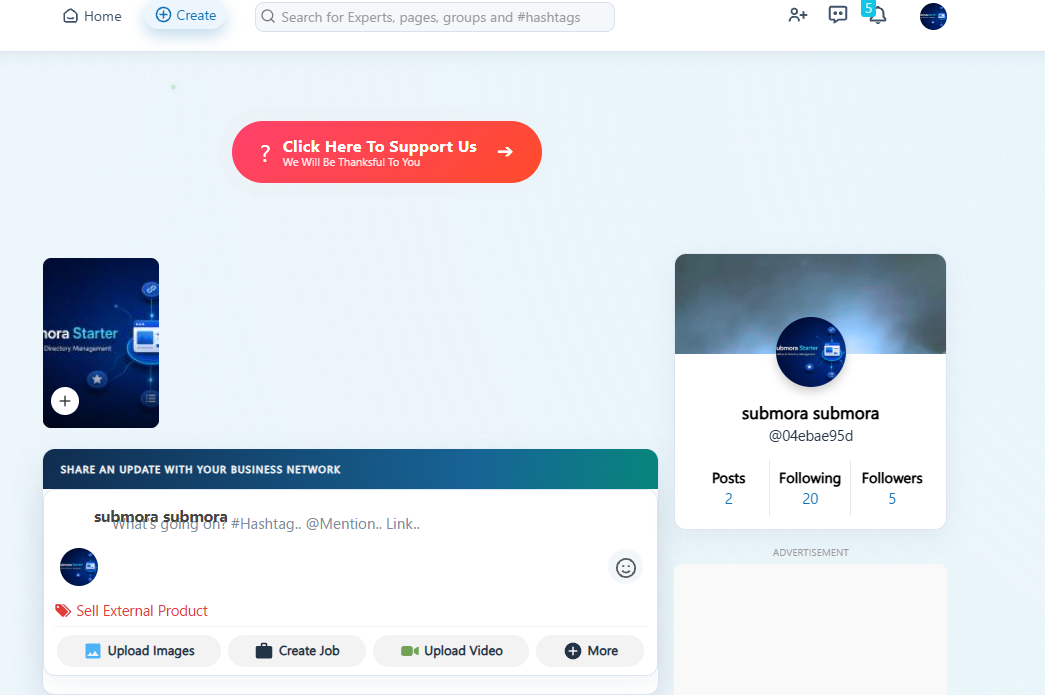
- 04
Fill in the blog content according to the fields. and submit
- 05
You may also click https://www.jointcorners.com/create-page to create a page.
- 06
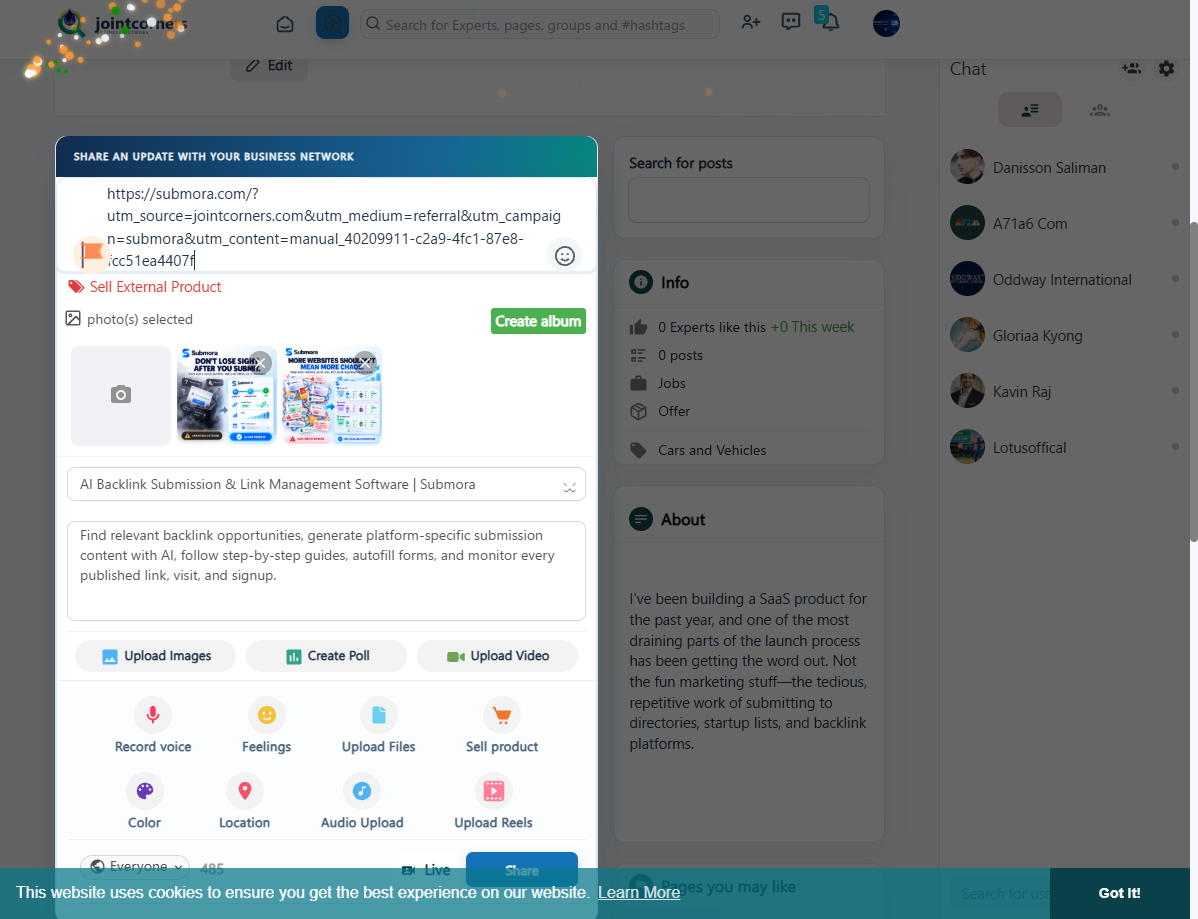
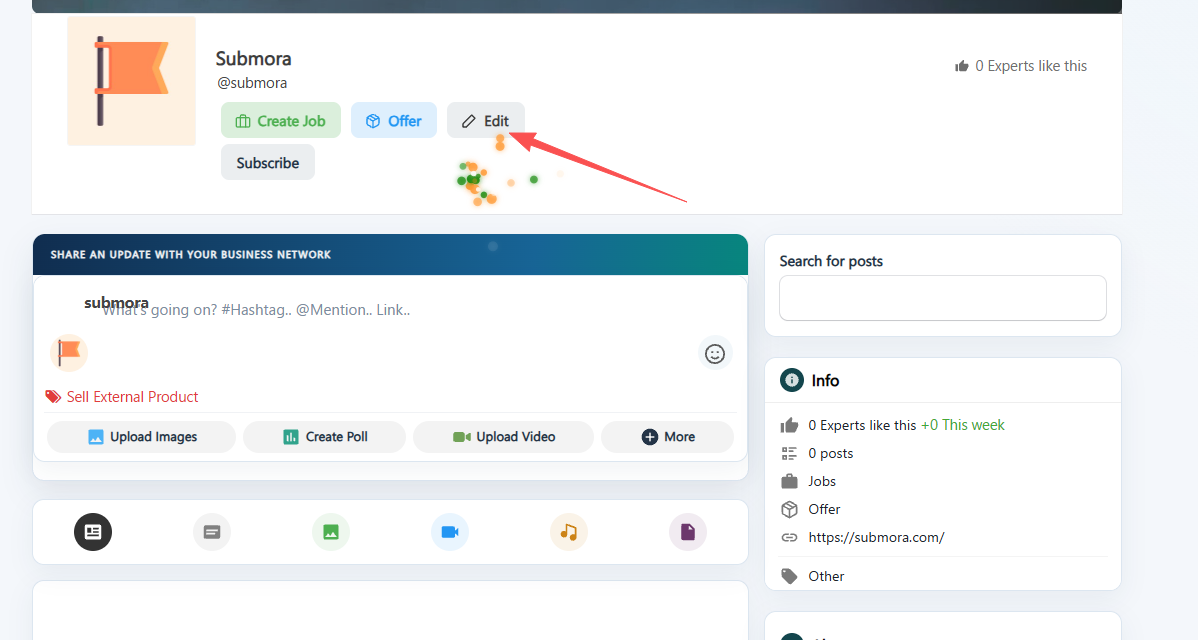
Enter your website URL under **SHARE AN UPDATE WITH YOUR BUSINESS NETWORK**, then share your site.
- 07
You may also click the Edit button within your Page.
- 08
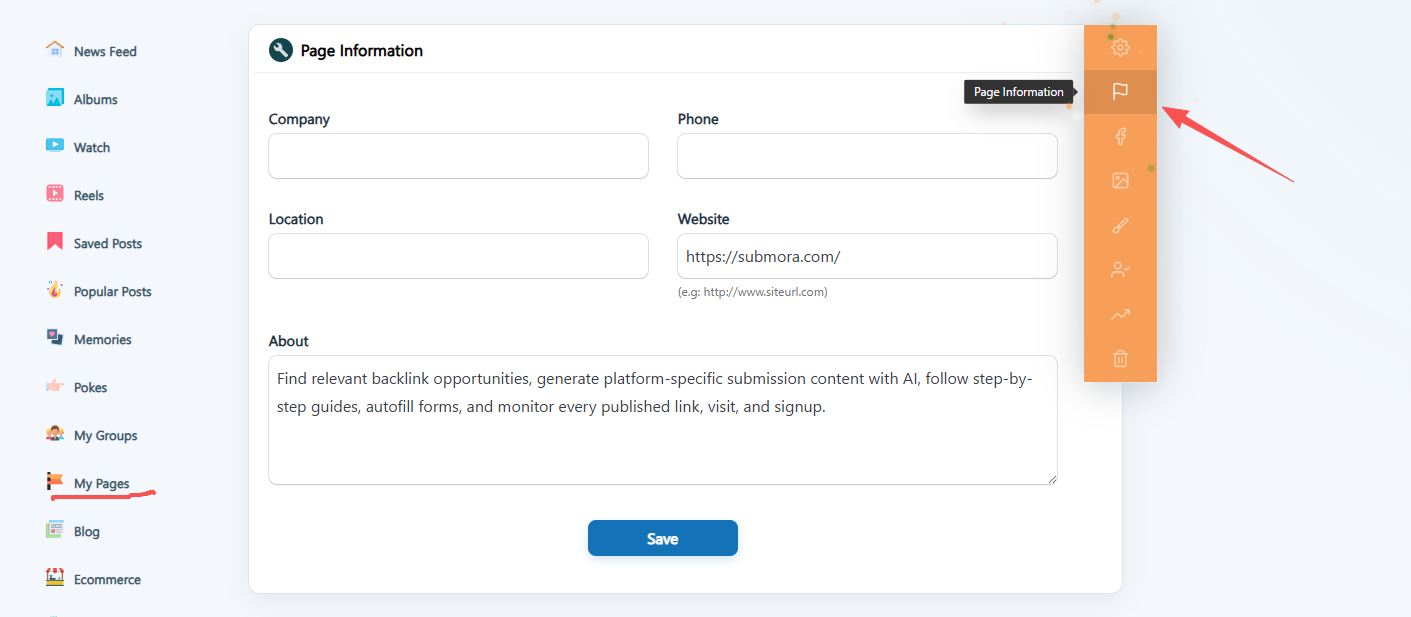
Next, select **Page Information** from the right-hand panel on the settings page to configure your site URL.
04EXPECTED OUTPUT
What gets published
Joint Corners blog post and build your custom company page
The destination controls pricing, moderation and publication. DR is a recorded metric, not a guarantee of traffic or acceptance.
PREPARE. PUBLISH. FOLLOW UP.
Keep the work connected.
Use your website materials to prepare platform-specific content, record your submission and follow the published result.