 Submora
01PREPARATION CHECKLIST
Know the fields before you open the form.
Prepare the information below using the saved platform configuration. Required labels reflect that configuration; confirm the current form before submitting.
01
Your name
Required- Input
- Short text
- Form step
- About the maker
02
Contact
Required- Input
- Short text
- Form step
- About the maker
03
Country
Required- Input
- Short text
- Form step
- About the maker
- Requirements
- Required only for the first-time path. Use the maker’s actual country, not a guessed location.
04
Upload your profile picture
Required- Input
- Image upload
- Form step
- About the maker
- Requirements
- Required only for the first-time path. Use a real maker photo, maximum 10 MB; do not substitute a product logo.
- Image requirements
- Up to 10.0 MB
05
Name
Required- Input
- Short text
- Form step
- Add your tool
06
Link
Required- Input
- Website URL
- Form step
- Add your tool
07
Short description
Required- Input
- Short text
- Form step
- Add your tool
08
App status
Required- Input
- Choose one option
- Form step
- Add your tool
- Options
- Brainstorming · Work in progress · Launched · Generating revenue
09
Category
Required- Input
- Choose one option
- Form step
- Add your tool
- Options
- AI · Analytics · Design · Community · Content Creation · Gaming · Email Marketing · Marketing · No-Code · Payment Gateway · Project Management · SEO · Twitter · ADD YOUR OWN CATEGORY
10
Add your own category
Required- Input
- Short text
- Form step
- Add your tool
- Requirements
- Required only after choosing ADD YOUR OWN CATEGORY. Leave unused when a preset category is selected.
11
Logo
Required- Input
- Image upload
- Form step
- Add your tool
- Requirements
- Up to 1 image(s). Maximum 10 MB.
- Image requirements
- Up to 10.0 MB
02PLATFORM REQUIREMENTS
Before you submit
- First-time path: public maker name, contact, actual country and maker photo up to 10 MB
- Product name, public URL and factual short tagline
- Actual app status and category; custom category text when chosen
- A product logo up to 10 MB
The entry explicitly offers free listing, with no charge or paid upgrade shown in the form.
03PUBLISHING WORKFLOW
How to submit
- 01
Open List your tool for free. First-time makers choose It’s my first time listing a tool (/list-tool); existing makers choose I have listed a tool before (/list), which omits maker fields.
- 02
On the first-time path enter public maker name, Twitter or confirmed email, actual country and a real maker photo up to 10 MB. Existing makers skip this section.
- 03
In the Tally iframe enter product name, link and short tagline. Choose actual App status and Category; ADD YOUR OWN CATEGORY reveals a required custom text field. Upload a product logo up to 10 MB.
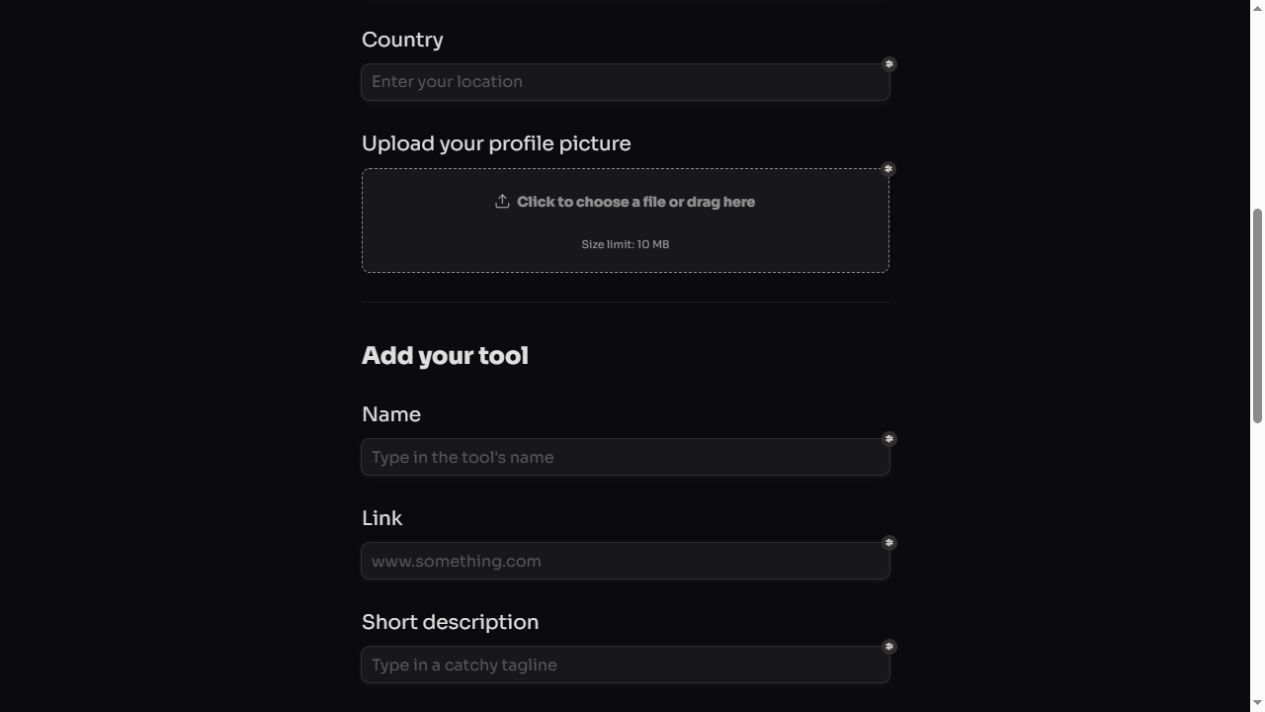
- 04
Review the product and public maker information before List my tool. Save the receipt and track the actual public URL; no review deadline or instant-publication promise is given. Final submission was not performed.
04EXPECTED OUTPUT
What gets published
A tool directory listing and maker information. The first-time path collects public maker details; final publication was not tested.
Not suitable for
- Products that are not live or cannot be accessed publicly
- Products that clearly fall outside the destination eligibility criteria
The destination controls pricing, moderation and publication. DR is a recorded metric, not a guarantee of traffic or acceptance.
PREPARE. PUBLISH. FOLLOW UP.
Keep the work connected.
Use your website materials to prepare platform-specific content, record your submission and follow the published result.