 Submora
01PREPARATION CHECKLIST
Know the fields before you open the form.
Prepare the information below using the saved platform configuration. Required labels reflect that configuration; confirm the current form before submitting.
01
Tool name
Required- Input
- Short text
- Form step
- Submission
02
Tool URL
Required- Input
- Website URL
- Form step
- Submission
03
Brief description
Optional- Input
- Long text
- Form step
- Submission
- Requirements
- Optional, one or two factual sentences. No character limit is shown.
04
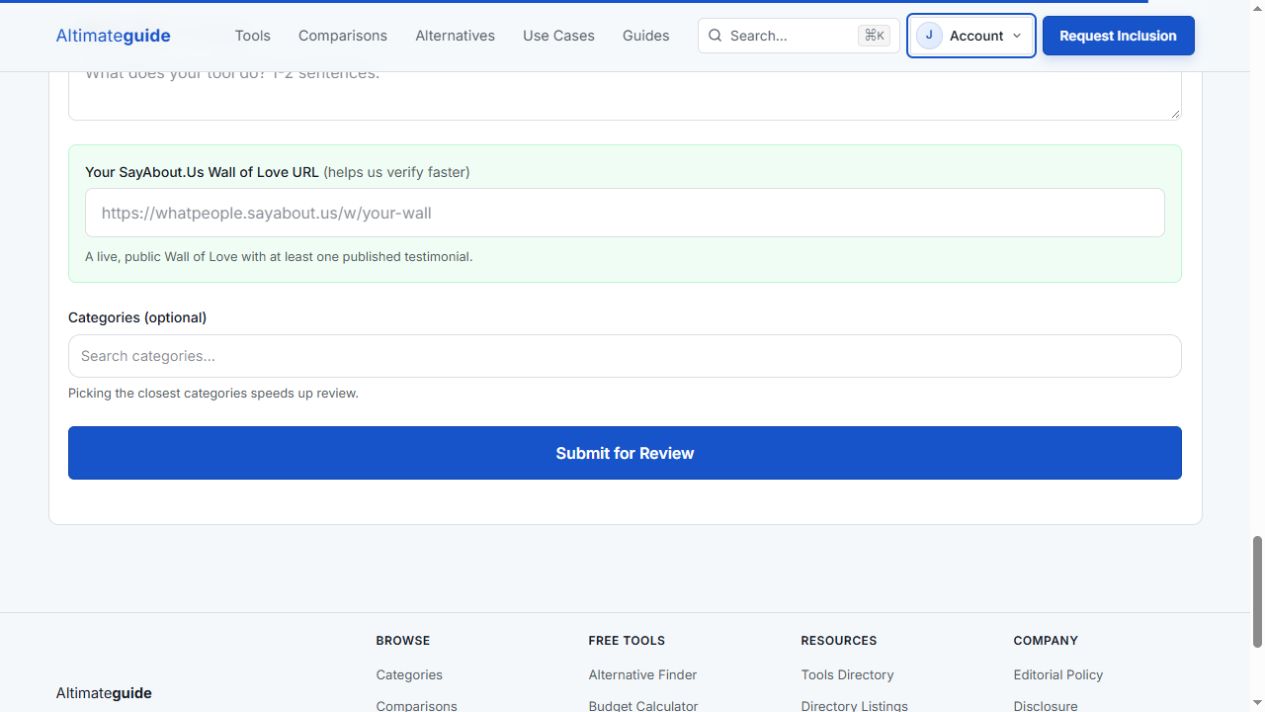
SayAbout.Us Wall of Love URL
Optional- Input
- Website URL
- Form step
- Submission
- Requirements
- For the free partner-verification path, use an actual public wall with at least one published testimonial. Leave blank if unavailable; do not fabricate a wall.
05
Categories
Optional- Input
- Choose multiple options
- Form step
- Submission
- Requirements
- Optional relevant category choices. No maximum was shown.
- Options
- AI Tools · Analytics Tools · Audio Editing · Automation · Competitive Intelligence · Creator Tools · Customer Support · Design Tools · Developer Tools · Documentation Tools · Education · Events Webinars · Feedback Tools · Forms Surveys · Knowledge Management · Meeting Assistants · Pets · Privacy Security · Productivity · Project Management · Sales Marketing · Scheduling Tools · SEO Tools · Social Media Tools · Testimonial Tools · Transcription · Video Editing · Writing Tools
02PLATFORM REQUIREMENTS
Before you submit
- Account login using a ten-minute email code; optional onboarding can be skipped
- Actual tool name and public URL
- A real public testimonial wall with at least one testimonial for the SayAbout.Us verification path
Free suggestion and verification paths: live SayAbout.Us testimonial wall or live Altimateguide badge. Optional paid standard listing $14.99 once, without verification.
03PUBLISHING WORKFLOW
How to submit
- 01
Open Request Inclusion and Sign in to submit. Use a one-time email code; optional onboarding can be skipped.
- 02
Choose the actual listing path: an existing public SayAbout.Us wall, a badge, or optional paid placement. Do not fabricate testimonials or assume verification is complete.
- 03
Enter actual tool name and URL. Brief description and categories are optional. For the wall path, enter a real public wall with at least one testimonial. Keep the Website anti-spam field empty.
- 04
Review before Submit for Review. Track editorial/verification outcome and the public listing URL. No fixed deadline is stated; badge flow and checkout were not tested.
04EXPECTED OUTPUT
What gets published
A product name, description, website link, and any product media accepted by the destination.
Not suitable for
- Products that are not live or cannot be accessed publicly
- Products that clearly fall outside the destination eligibility criteria
The destination controls pricing, moderation and publication. DR is a recorded metric, not a guarantee of traffic or acceptance.
PREPARE. PUBLISH. FOLLOW UP.
Keep the work connected.
Use your website materials to prepare platform-specific content, record your submission and follow the published result.