 Submora
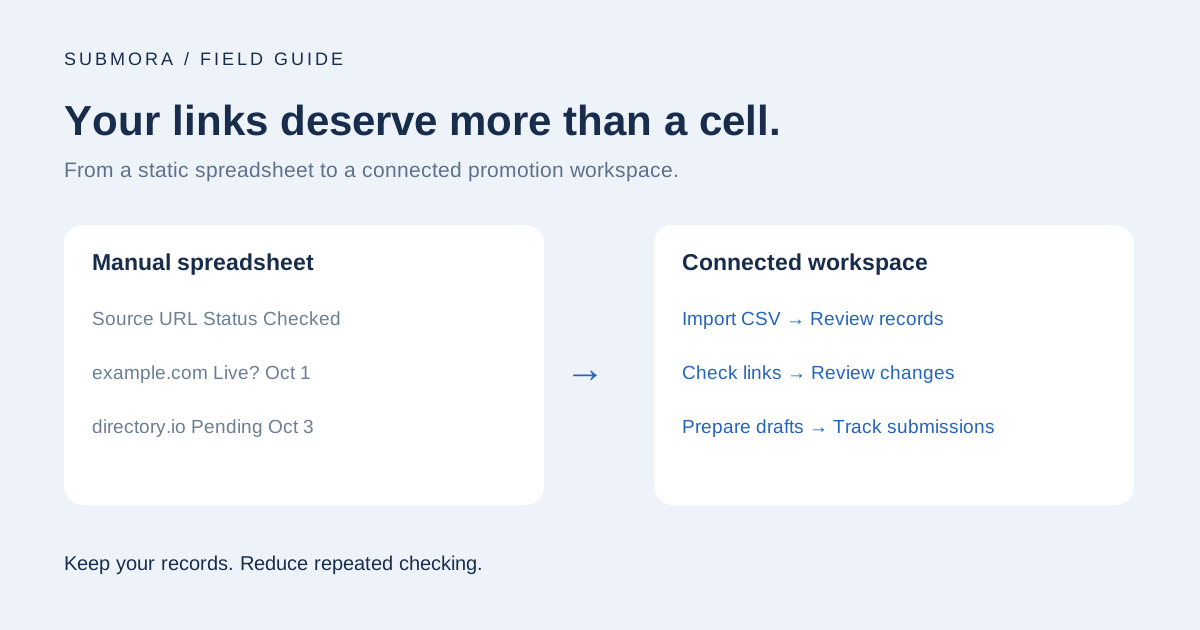
The trap of the “free” spreadsheet
Somewhere in your folders, there may be a file called SaaS_Backlink_Tracking_2026.xlsx. You created it after launching your product, added a few startup directories, and felt ready to organize your first promotion campaign. A free backlink tracking spreadsheet was a sensible place to start.
The first rows are easy: a source page, your target URL, a platform name, and a date. Then the list grows. A submission is still under review, another listing goes live, and an older page stops loading. Your tidy sheet now needs someone to keep checking the evidence behind every cell.
That is the real cost of a manual setup. A spreadsheet can store what you observed, but it does not independently revisit pages. When maintaining the record consumes the time you intended to spend finding customers, the workflow needs an upgrade.
A free backlink monitoring template you can actually use
If you are learning how to track backlinks free, start with a small set of consistent fields. Use one row per published source page. Keep pending submissions separately: a confirmation email is not a live backlink.
| Field | What to record | Import behavior |
|---|---|---|
| source_url | The exact public page containing the backlink | Required; accepted as the source URL |
| target_url | Your destination page | Optional target URL |
| name | Platform or placement name | Optional label |
| published_at | Known publication date | Optional; leave unknown dates blank |
| note | Channel, context, or manual observations | Optional free-text notes |
The download contains only the import-compatible header. Add your own real records before importing it; there are no example links to accidentally save. In Excel or Google Sheets, you can add columns for Channel Type, Status, Link Attribute, and Last Checked to support manual reviews. Those extra columns are not imported as verified monitoring results.
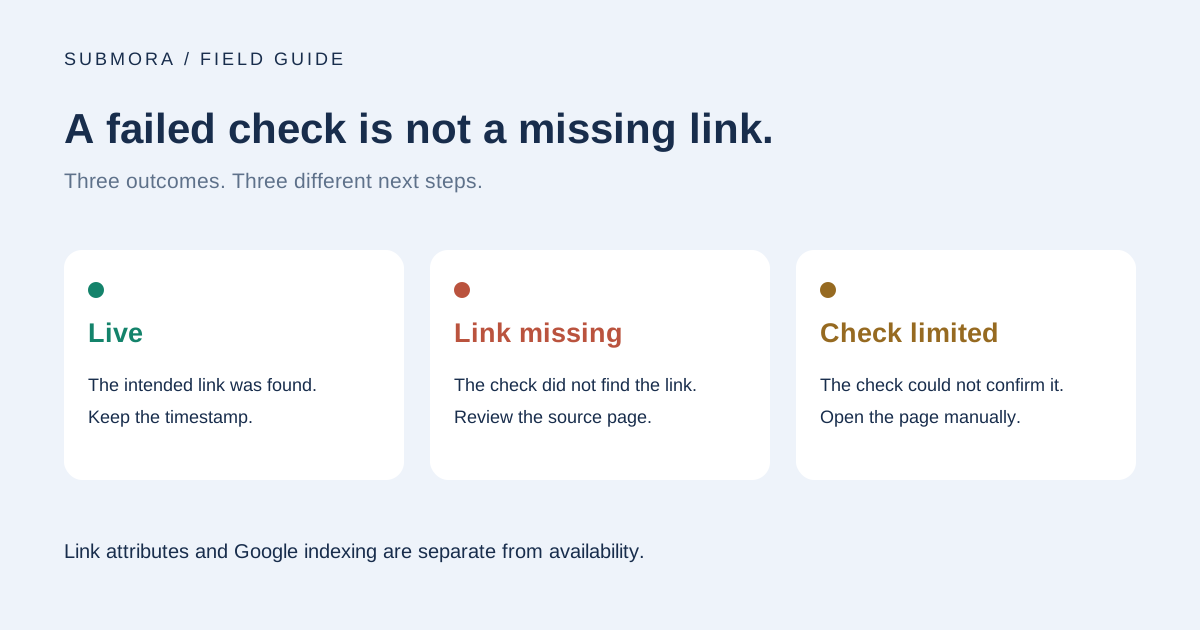
A useful status vocabulary is Live, Link missing, and Check limited. Store link attributes separately from availability: a nofollow link can still be live. Record when you checked, and avoid assigning a publication date simply because that is when you discovered the page.
Enter Submora: a free backlink tracking spreadsheet alternative
Submora brings backlinks and product promotion into one workspace. You can keep your existing research while moving the repetitive checking into a system designed for it. Link management and automatic status checks do not consume AI credits.
- Import existing records via CSV. Select your website, upload the file, inspect the preview for errors and duplicates, and confirm valid rows. Review is part of the workflow; importing does not turn a pending submission into a verified backlink.
- Use automatic link checks. Follow confirmed live links and review Link missing or Check limited results. A timeout or blocked request needs a manual check of the source page.
- Keep DR context current. Registered website DR snapshots use a three-day refresh interval. Platform-library domain ratings use a seven-day refresh interval. These are separate workflows, and scheduled execution depends on successful API requests.
- Connect your product facts to promotion. Reuse a website profile, explore platform requirements, prepare platform-specific AI drafts, and use browser-assisted filling on supported forms. You review content and perform the final submission.
- Keep community work connected. Find relevant public questions, prepare helpful reply drafts, and save the response URL after participating yourself. Prioritize answering the question and disclose your product relationship when relevant.
This is a workflow upgrade, not a guarantee of rankings or directory acceptance. The destination controls publication. A link check reports what could be observed; it does not prove that Google indexed a page. Keep visits, signups, and conversations in your evaluation of whether a channel helped.
Explore the platform librarySee free features and optional add-onsMove your records, keep your focus
You do not need to abandon a useful spreadsheet simply because a dedicated tool exists. But if the same manual checks keep returning to your to-do list, a static grid is leaving too much work with you. Keep the history, import the records you can verify, and spend the recovered attention on better placements and better product conversations.
Start with the free CSV template, or export your existing sheet with compatible column names. Submora includes one website and 10 free AI generations. No personal model API key is required. Review the import preview, confirm your records, and let monitoring become part of the workflow.
Stop manual copying. Import your CSV and start free backlink monitoringRead the homepage FAQ about replacing spreadsheetsSources & verification
Reviewed November 5, 2026. Platform conditions and live records can change. This article is written by the team building Submora.